What is DingCaster?
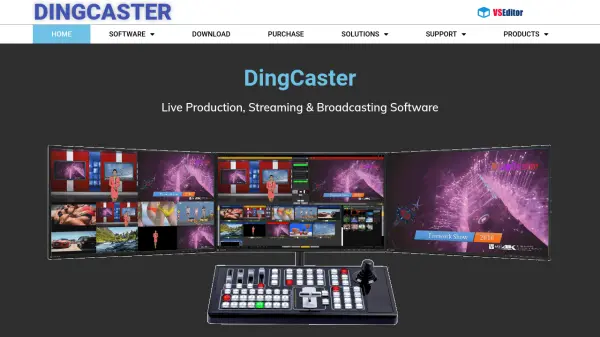
DingCaster is a comprehensive software platform designed for live video production, streaming, and broadcasting across various domains such as education, sports, events, and TV studios. It features support for a wide range of input sources including cameras, mixers, media files, mobile devices, and virtual studios, making it adaptable for diverse production environments.
With intuitive controls like drag-and-drop input selection, easy output definition, and instant subtitle integration, users can quickly produce and manage multi-channel recordings and broadcasts. DingCaster enables simultaneous streaming to multiple platforms with detailed status monitoring, and supports advanced functionalities like remote live calling and compatibility with vMix virtual sets for enhanced production versatility.
Features
- Multiple Input Sources: Supports camera, mixer, media file, PPT, virtual studio, mobile phone, NDI, IM app, and more.
- Multiple Output Targets: Includes multi-channel recording, streaming, LAN multicast/unicast, NDI, VCR, and multi-screen.
- Intuitive Production Controls: Drag-and-drop interface for selecting inputs, defining outputs, and adding subtitles.
- Simultaneous Streaming: Broadcasts to multiple platforms at once with real-time status monitoring.
- Multi-source Recording: Enables recording of main output or individual input sources with one-click operation.
- Remote Live Call: Allows multiple users to connect remotely via mobile phone, tablet, or PC.
- Virtual Set Compatibility: Fully compatible with vMix virtual sets and quick subtitle support.
- Resource Efficient: New kernel for lower resource consumption and higher efficiency.
Use Cases
- Live streaming of educational webinars and online classes.
- Broadcasting sports games and live marathons.
- Producing video for conferences and corporate events.
- Operating TV studios or virtual set productions.
- Game live streaming with multiple video sources.
- Simultaneous recording and streaming of live events.