What is Detail?
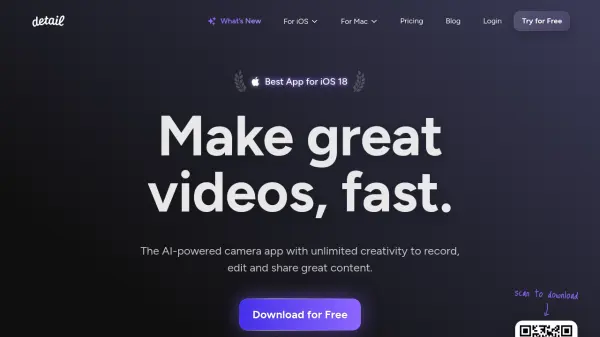
Detail is a comprehensive AI-powered video creation platform that transforms your iPhone into a professional video production studio. The app combines advanced recording capabilities with intelligent editing features, allowing users to create high-quality content effortlessly.
The platform offers sophisticated features including automatic podcast editing, live green screen effects, teleprompter functionality, and AI-generated captions. With its ability to wirelessly connect multiple devices and import videos directly from various platforms, Detail streamlines the entire video production process from recording to sharing.
Features
- Podcast Auto Edit: Automatically edits podcast and interview videos in seconds
- Live Green Screen Editor: Real-time background removal and replacement
- Teleprompter: Built-in script reading while recording
- Automatic Captions: AI-generated, customizable subtitles
- Remote Recording: Wireless connection between multiple devices
- AI Framing: Automatic shot composition adjustment
- Video Import: Direct import from YouTube and TikTok
- Multi-camera Recording: Multiple angle capture capability
Use Cases
- Creating reaction videos
- Recording podcasts
- Professional video presentations
- Content creation for social media
- Remote interview recordings
- Script-based video production
- Creating short-form content from long recordings
- Multi-angle video production
FAQs
-
Can I use Detail on devices other than iOS?
Detail is currently only available for iOS devices, with a separate macOS version available with its own subscription. -
What's the difference between Basic and Pro plans?
Pro plan includes watermark-free exports, all caption styles, AI-generated clips, AI Framing, Podcast Auto Edit, and custom Portrait Filters, while Basic offers essential recording and editing features. -
Can I record with multiple cameras simultaneously?
Yes, Detail allows wireless connection between multiple iPhones for multi-angle recording, both in-person and remotely.