What is Decks?
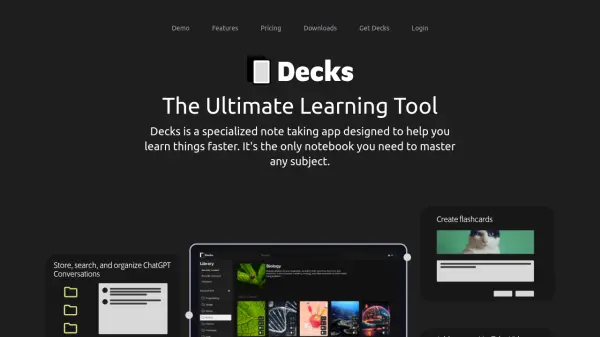
Decks is a dedicated note-taking application engineered to accelerate the learning process for any subject. It provides a comprehensive platform for users seeking to master new topics efficiently. The tool allows users to attach notes directly to YouTube videos, enhancing engagement and organization. Users can add timestamps to notes, enabling quick navigation to specific points within the video content. Videos can be added by pasting a URL or using the integrated YouTube search functionality.
Decks incorporates a direct chat interface with ChatGPT, requiring users to bring their own API key. This feature simplifies organizing and retrieving conversations with the AI. The application also includes a powerful search function to locate specific messages within chats quickly. Furthermore, Decks facilitates the creation of flashcard decks to improve memory retention. These flashcards can be attached to notes and YouTube videos, and users can add images to support visual learning. All user data is stored locally.
Features
- YouTube Video Integration: Attach notes and flashcards directly to YouTube videos, add timestamps, and insert videos via URL or in-app search.
- ChatGPT Integration: Chat directly with ChatGPT using your own API key within an organized interface.
- Flashcard Creation: Build flashcard decks, attach them to notes and videos, and include images.
- Local Data Storage: All user notes, chats, and flashcards are stored locally on the user's device.
- Powerful Search: Quickly find specific messages within ChatGPT conversations.
- Multi-layered Organization: Organize chats and flashcards using tags, decks, and subjects.
Use Cases
- Studying academic subjects
- Learning new skills from online video courses
- Organizing research notes from YouTube content
- Using flashcards for memorization and spaced repetition
- Interacting with ChatGPT for learning assistance
- Keeping learning materials organized and accessible