dbdesigner.id favicon

dbdesigner.id
Database design tools online for simplifying complexity

What is dbdesigner.id?

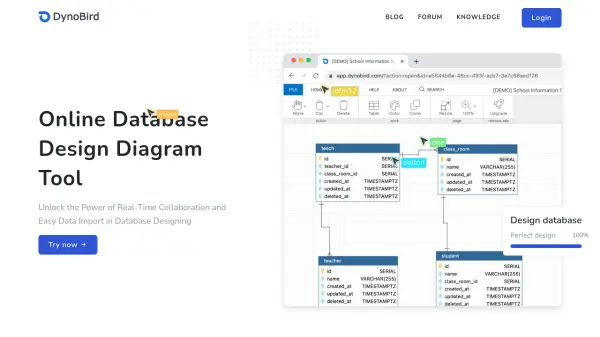
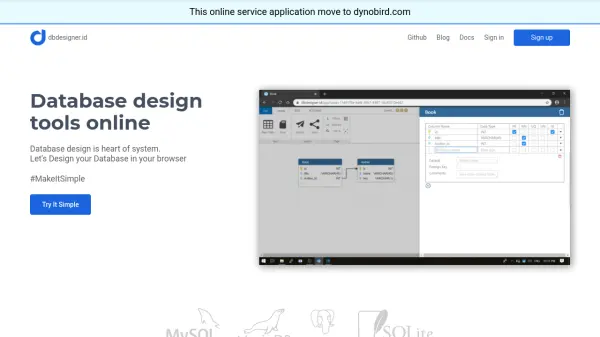
dbdesigner.id is an online database design tool that enables users to create and manage database designs directly within their web browser. The platform focuses on simplifying the complexity of database design through an intuitive interface and practical features.

The tool offers capabilities such as sharing designs via magic links and exporting database structures to SQL format. It operates under the MIT License and is designed to make database design accessible and efficient for various users.

Features

  • Magic Link Sharing: Share database designs with others using unique magic links
  • SQL Export: Export database designs to SQL create table statements
  • Browser-Based Design: Design databases directly in your web browser without installation
  • Simplify Complexity: Tools designed to make database design more accessible and less complex

Use Cases

  • Designing database schemas for new applications
  • Collaborating on database designs with team members
  • Generating SQL create table statements from visual designs
  • Learning database design concepts through practical tools

Related Tools:

Blogs:

  • AI tools for video voice overs

    AI tools for video voice overs

    Discover the next level of video production with AI-powered voiceover tools. Enhance your content effortlessly, ensuring professional-quality narration for your videos.

  • Long Videos into Viral Shorts

    Long Videos into Viral Shorts

    Klap.app is an AI-powered video editing tool that transforms long-form videos into engaging short clips optimized for platforms like TikTok, Instagram Reels, and YouTube Shorts

  • Top 6 AI note-taking tools for 2026: in-person, online, and hybrid use cases

    Top 6 AI note-taking tools for 2026: in-person, online, and hybrid use cases

    Most AI note-taking lists are really lists of meeting bots, which join your video call and transcribe it. That's useful, but it's half the picture. Decisions happen in hallway conversations, client dinners, on-site visits, and hybrid rooms where nobody is on a video link. This guide covers different parts of the note-taking workflow: hardware capture for in-person settings, platform-native tools for online calls, and AI layers for organizing and synthesizing what you've captured. It compares six tools by capture context, workflow fit, pricing, and limitations.

Didn't find tool you were looking for?

Be as detailed as possible for better results