What is Cxoice?
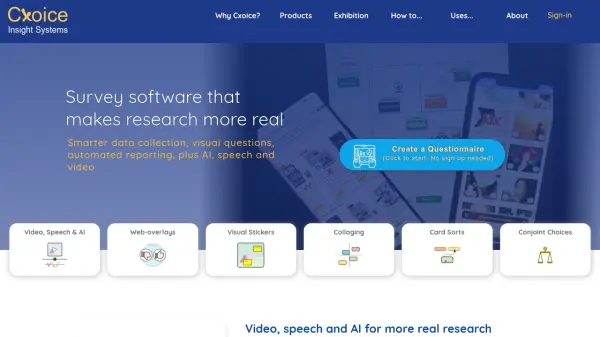
Cxoice is a comprehensive survey software platform designed to make research more authentic and effective. It combines traditional quantitative survey capabilities with advanced features like video capture, speech-to-speech chat, AI-generated questions, and live transcriptions to gather deeper insights. The platform enables researchers to collect 'show me' data through visual methods and provides AI-powered transcripts and summaries for better analysis of real-world behaviors.
The tool offers modern visual question types such as thumbs-up ratings, stickers, and card sorts, along with web-overlay integration for embedding surveys into real online environments. It supports faster survey design with real-time testing, built-in analysis, and automated reporting features. Cxoice functions as an end-to-end research platform suitable for online, offline, phone, and video-based data collection, with customization options for professional research needs.
Features
- Video & Speech Integration: Capture video feedback and enable speech-to-speech chat for natural conversations
- AI-Powered Questions: Generate AI chat questions and run simulated data to pre-test surveys
- Visual Question Types: Use modern formats like thumbs-up ratings, stickers, and card sorts for engaging surveys
- Web-Overlay Integration: Embed surveys into real websites to study customer experiences in context
- Automated Reporting: Create live-data presentations and dashboards with dynamic filtering for instant analysis
- Multi-Mode Research: Conduct surveys online, offline, by phone, or with video capture in one platform
Use Cases
- Conducting market research with video and speech feedback
- Testing survey designs with AI-simulated data before launch
- Embedding surveys into websites to study real-time user experiences
- Creating visual questionnaires for engaging participant responses
- Automating analysis and reporting for faster research turnaround
- Running phone or video-based surveys with integrated transcriptions
FAQs
-
What types of surveys can I create with Cxoice?
Cxoice supports various survey types including online questionnaires, phone surveys, video-based feedback, and web-overlay integrations for embedded research. -
How does the AI feature work in surveys?
The AI feature generates conversational chat questions, simulates data for pre-testing, and provides transcripts and summaries from video and speech inputs. -
Can I customize Cxoice for my organization's needs?
Yes, Cxoice offers customization options and private-server solutions for larger companies and agencies, with no per-user or per-complete fees. -
What modes of research does Cxoice support?
Cxoice supports online, offline, phone, and video-based research modes, making it a versatile end-to-end platform. -
Is there a free trial or demo available?
The content does not specify a free trial, but users can create a questionnaire without signing up to start exploring the platform.