Crosshatch favicon

Crosshatch
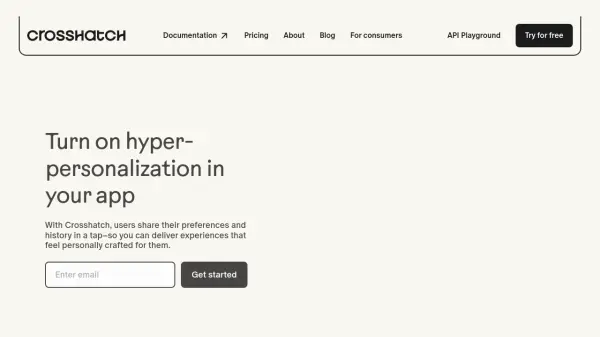
Turn on hyper-personalization in your app

What is Crosshatch?

Crosshatch empowers businesses to create highly personalized user experiences. It achieves this by facilitating the secure sharing of user preferences and history. This streamlined process enables the development of applications that adapt to individual user contexts, going beyond traditional first-party data personalization methods.

By leveraging user-shared data and integrating it with AI models, Crosshatch enables businesses to offer dynamic, real-time experiences. This ensures that users receive the most relevant content and recommendations across all touchpoints, enhancing engagement and conversion rates.

Features

  • Instant onboarding: Offer complete customization without a lengthy onboarding flow.
  • Sitewide customization: Turn every page into a personalized experience.
  • Real-time experiences: Continuously evolve and create meaningful personalization for users by listening for changes in user context.
  • Permission settings and security: Users manage content sharing with intuitive consent and enterprise-grade data security.
  • Context completions: Privately integrate user data with AI models for adaptive experiences.
  • Webhooks: Adapt product experience in real-time based on changes in user context.

Use Cases

  • Creating one-of-a-kind travel itineraries.
  • Delivering conversion-driving shopping recommendations.
  • Personalized content display on websites.
  • Proactive AI powered actions like restaurant recommendation if a user's schedule opens up.

Related Tools:

Blogs:

  • Top 6 AI note-taking tools for 2026: in-person, online, and hybrid use cases

    Top 6 AI note-taking tools for 2026: in-person, online, and hybrid use cases

    Most AI note-taking lists are really lists of meeting bots, which join your video call and transcribe it. That's useful, but it's half the picture. Decisions happen in hallway conversations, client dinners, on-site visits, and hybrid rooms where nobody is on a video link. This guide covers different parts of the note-taking workflow: hardware capture for in-person settings, platform-native tools for online calls, and AI layers for organizing and synthesizing what you've captured. It compares six tools by capture context, workflow fit, pricing, and limitations.

  • Best AI Tools For Startups

    Best AI Tools For Startups

    we've compiled a straightforward list of user-friendly AI tools designed to give startups a boost. Discover practical solutions to streamline everyday tasks, enhance productivity, and gain valuable insights without the need for a tech expert. Learn where and how these tools can be applied in your startup journey, from automating repetitive tasks to unlocking powerful data analysis. Join us as we explore the features that make these AI tools accessible and beneficial for startups in various industries. Elevate your business with technology that works for you!

Didn't find tool you were looking for?

Be as detailed as possible for better results