What is Cronofy?
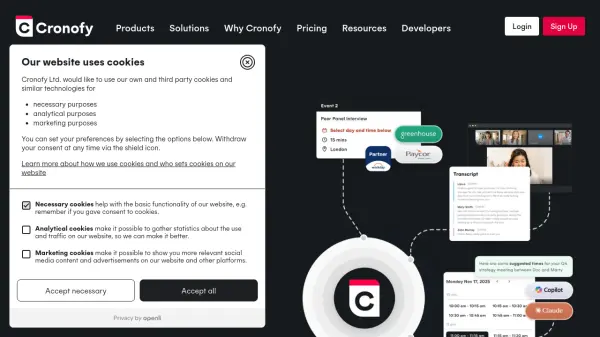
Cronofy provides a comprehensive scheduling automation platform designed to streamline meeting workflows for both product builders and process automation teams. The platform offers calendar integration, real-time availability checking, and embedded scheduling components that can be seamlessly integrated into existing applications or workflows.
With AI-powered meeting agents, Cronofy captures recordings and generates intelligent summaries, ensuring meeting notes are preserved and actionable. The platform supports complex scheduling scenarios including multi-participant coordination, automated video conferencing provisioning, and rescheduling capabilities, all while maintaining data security with compliance certifications including GDPR, HIPAA, SOC 2, and ISO standards.
Features
- Calendar API: Easily connect multiple calendar services to applications
- Availability API: Support self-serve booking and rescheduling with real-time availability checking
- UI Elements: Embed native-feeling booking experiences into applications
- Meeting Agents: Capture recordings and generate AI-powered meeting summaries
- Embedded Scheduler: Provide managed scheduling capabilities within applications
Use Cases
- Embed scheduling functionality into HR platforms for interview coordination
- Automate meeting scheduling within customer relationship management systems
- Reduce patient no-shows through automated healthcare appointment scheduling
- Increase client engagement in coaching and mentoring programs
- Improve student scheduling and course completion rates in educational technology
FAQs
-
What security certifications does Cronofy maintain?
Cronofy maintains multiple security certifications including ISO27001, ISO27018, ISO27701, SOC2, GDPR compliance, CCPA compliance, and HIPAA compliance to ensure data protection and regulatory adherence. -
How does Cronofy handle multi-participant scheduling?
Cronofy supports combine availability with multi-user scheduling, allowing coordination across multiple participants' calendars to find optimal meeting times and handle complex scheduling scenarios. -
What types of integrations does Cronofy support?
Cronofy supports integrations with various platforms including Workday, HubSpot, Zendesk, Greenhouse, SmartRecruiters, Zoom, Lever, and extensions for Chrome, Edge, Outlook, and Firefox browsers. -
How does the billing model work for Cronofy Scheduler?
Cronofy uses dynamic seat billing where you only pay for actively used seats during the month, with seats automatically assigned based on actual usage rather than pre-allocated licenses.