CredosApp favicon

CredosApp
The easiest way to find out honest public perception on any issue

What is CredosApp?

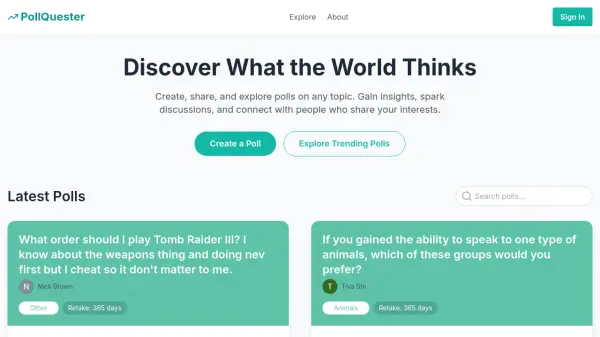
CredosApp serves as a tool for uncovering authentic public perceptions on diverse issues through intelligent analysis of user-submitted opinions. It addresses gaps in official statistics by focusing on questions that matter to individuals, delivering truthful responses based on collective viewpoints.

The platform facilitates meaningful interactions by connecting users with shared perspectives while painting an accurate picture of reality from everyone's contributions. It operates as a digital space where every opinion holds value, enabling users to ask questions and receive honest feedback from the community.

Features

  • Public Perception Analysis: Analyzes user opinions to reveal honest societal views on any issue
  • Question Submission: Allows users to ask their own questions within the app to gather relevant responses
  • Community Connection: Unites individuals who share similar views through shared opinion platforms
  • Truthful Response Generation: Provides accurate insights based on collective user feedback and analysis

Use Cases

  • Understanding public opinion on social issues
  • Gathering honest feedback on products or services
  • Researching societal attitudes for academic studies
  • Connecting with like-minded individuals on specific topics
  • Supplementing official statistics with grassroots perspectives

Related Tools:

Blogs:

  • Best AI tools for recruiters

    Best AI tools for recruiters

    These tools use advanced algorithms and machine learning to automate tasks such as resume screening, candidate matching, and predictive analytics. By analyzing vast amounts of data quickly and efficiently, AI tools help recruiters make data-driven decisions, save time, and identify the best candidates for open positions.

  • Top 6 AI note-taking tools for 2026: in-person, online, and hybrid use cases

    Top 6 AI note-taking tools for 2026: in-person, online, and hybrid use cases

    Most AI note-taking lists are really lists of meeting bots, which join your video call and transcribe it. That's useful, but it's half the picture. Decisions happen in hallway conversations, client dinners, on-site visits, and hybrid rooms where nobody is on a video link. This guide covers different parts of the note-taking workflow: hardware capture for in-person settings, platform-native tools for online calls, and AI layers for organizing and synthesizing what you've captured. It compares six tools by capture context, workflow fit, pricing, and limitations.

  • Chat with PDF AI Tools

    Chat with PDF AI Tools

    Easily interact with your PDF documents using our advanced AI-powered tool. Whether you're reading lengthy reports, research papers, contracts, or eBooks, our platform lets you chat directly with your PDF files, ask questions, extract insights, and get summaries in real-time.

Didn't find tool you were looking for?

Be as detailed as possible for better results