What is ConferenceDatabase?
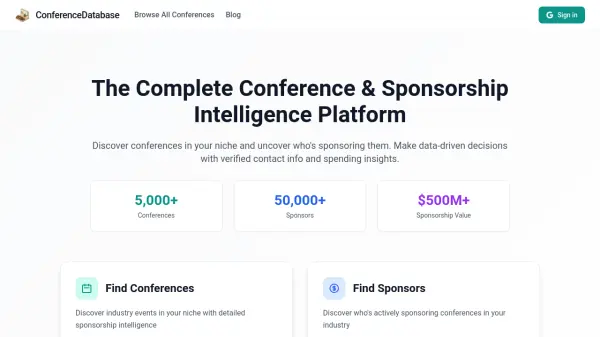
ConferenceDatabase enables users to search for industry conferences and gain unparalleled access to sponsorship intelligence. With this platform, professionals can filter conferences by category, location, size, and budget, view sponsorship packages, and analyze attendee demographics to make informed decisions.
The platform also offers a comprehensive database of active sponsors, including their spending history, verified contact information, and past sponsorships. This intelligence helps businesses identify potential partners, analyze competitor activity, and optimize conference sponsorship strategies.
Features
- Conference Discovery: Search for conferences by category, location, size, and budget.
- Sponsorship Intelligence: Access data on sponsorship packages, pricing, and past sponsors.
- Sponsor Database: Browse over 50,000 active sponsors with spending history.
- Attendee Insights: Analyze attendee demographics and event insights.
- Verified Contact Information: Obtain accurate contact details for sponsors.
- Competitor Analysis: Identify similar sponsors and competitor activity.
Use Cases
- Discovering niche conferences to attend or sponsor.
- Identifying and connecting with active sponsors in a specific industry.
- Analyzing competitor sponsorship activity and spending.
- Reviewing attendee demographics to target marketing efforts.
- Exploring sponsorship packages and pricing before making decisions.