What is Cludo?
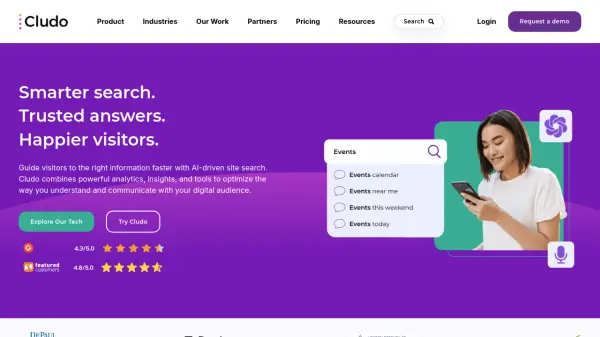
Cludo offers an intelligent site search platform powered by AI to enhance the user experience on websites. It focuses on guiding visitors to the correct information quickly and efficiently. The platform provides businesses with powerful analytics and insights derived from search data, enabling a better understanding of audience needs and behavior.
This solution emphasizes ease of use and customization, integrating seamlessly with various content management systems (CMS) and websites. Cludo automates content indexing to ensure search results remain current and relevant without manual intervention. It positions itself as a search partner, providing support and strategic guidance beyond just the platform itself, catering particularly to content-heavy websites across multiple industries.
Features
- AI Chat: Provides a conversational search experience using ChatGPT.
- AI Summary: Combines traditional search results with interactive AI-generated summaries.
- Relevance Control: Allows manual adjustments like boosting and page rankings to fine-tune search results.
- Intelligent Autocomplete: Suggests search terms as users type.
- Misspellings & Synonyms Handling: Understands typos and related terms for better results.
- Voice Search: Enables users to search using voice commands.
- Insights and Analytics: Offers detailed reports on search trends, popular queries, ineffective searches, user devices, and geolocation.
- Daily Indexing: Automatically keeps search results up-to-date with the latest website content.
- Customizable Search Experiences: Tailors search interfaces and results presentation.
- Intelligent 404 Pages: Provides helpful suggestions on error pages.
- Multi-Site Search: Allows searching across multiple domains from a single interface.
- Personalization: Tailors search results based on defined audience segments and visitor behavior.
Use Cases
- Improving website navigation and information discovery for educational institutions.
- Enhancing search functionality for financial services websites.
- Providing reliable and timely information access on public sector portals.
- Streamlining patient and professional information retrieval for healthcare providers.
- Optimizing internal and external content discovery for manufacturing companies.
- Facilitating easy access to travel information and bookings for tourism websites.
- Understanding user search behavior to optimize website content strategy.
- Reducing website bounce rates by providing relevant search results quickly.