What is Cloudcraft?
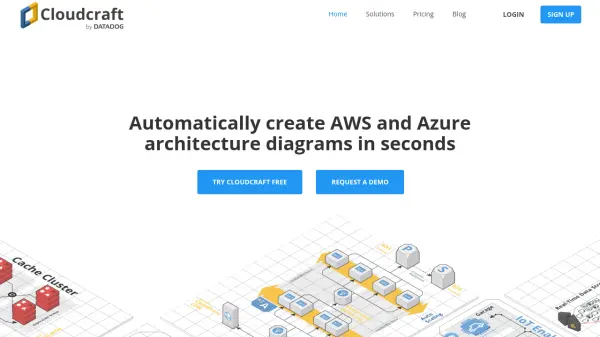
Cloudcraft is a professional cloud architecture diagramming platform tailored for AWS and Azure environments. The tool enables users to rapidly build and visualize comprehensive cloud infrastructure diagrams using an easy-to-use visual designer that supports hundreds of native components and custom icons. Cloudcraft provides both 2D and 3D perspectives, allowing for detailed investigations or visually engaging presentations to stakeholders.
Combining automated live scanning capabilities, Cloudcraft generates up-to-date cloud architecture diagrams for multi-region infrastructures, enabling users to quickly identify configuration issues, unused resources, and potential security misconfigurations. Teams can collaborate effectively, share live documentation, and plan architectural changes with budget impact insights, ensuring future-proofed, optimized cloud environments.
Features
- Live Cloud Architecture Scanning: Automatically generate diagrams from existing AWS and Azure infrastructures.
- 2D and 3D Visual Designer: Create and share cloud architecture diagrams with both 2D and 3D perspectives.
- Cost Estimation: Visualize and analyze cloud spend with budgeting insights and report exports.
- Team Collaboration: Share, update, and embed live diagrams for effective teamwork and documentation.
- Component Library: Access hundreds of AWS and Azure architecture components and add custom icons.
- Version History: View and revert to previous diagram versions with retention periods.
- Security Features: Enable two-factor authentication and Single Sign-On with SAML support.
- Export Options: Export diagrams in PNG, PDF, SVG formats, and create private shared links.
- Integration with Datadog: Seamless navigation from diagrams to Datadog dashboards for detailed resource monitoring.
Use Cases
- Automatically generate up-to-date diagrams of multi-region AWS or Azure cloud architectures.
- Document current cloud infrastructure for compliance, security audits, or internal presentations.
- Collaborate in real-time on architecture diagrams for team projects and onboarding.
- Estimate and analyze cloud costs during architecture planning and optimization.
- Identify unused resources, troubleshoot configuration issues, and improve security posture.
FAQs
-
Can I use Cloudcraft for free?
Yes, Cloudcraft offers a free plan that enables users to create advanced AWS and Azure architecture diagrams, with all designer components available and no payment required for commercial or non-commercial use. -
What happens if Cloudcraft does not work as expected?
Cloudcraft offers a 30-day money back guarantee for paid plans. You can contact support through the app or by email to arrange a refund if you are unsatisfied. -
Is a contract required to start a free trial of Cloudcraft?
No, a long-term contract is not required for the free trial or monthly subscriptions, and you can cancel at any time. -
What payment methods are accepted for Cloudcraft subscriptions?
Cloudcraft accepts major credit and debit cards online, including Visa, MasterCard, Discover, and American Express. Invoicing is available for annual billing on Pro or Enterprise plans. -
Does Cloudcraft support AWS GovCloud regions?
Yes, Cloudcraft supports AWS GovCloud regions. For additional questions regarding features and pricing, users are encouraged to contact Cloudcraft support.