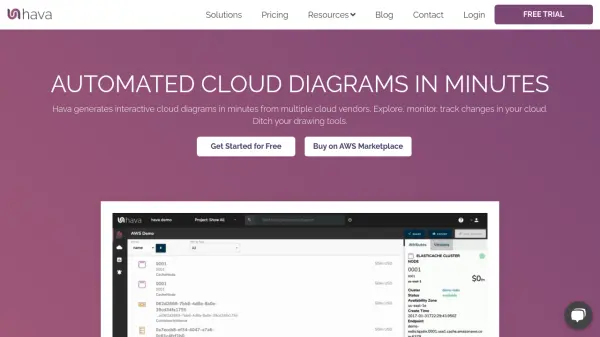
What is Hava?
Hava provides automated and interactive cloud diagrams, enabling users to visualize, document, and monitor cloud environments across AWS, Azure, and GCP within minutes. By securely connecting to cloud accounts, the platform imports and lays out complex infrastructures, allowing exploration of security layers, containers, and resource configurations through a centralized dashboard.
With features such as live diagram updates, version history, automated compliance reports, and embeddable viewers, Hava helps organizations efficiently maintain operational visibility, accelerate troubleshooting, ensure audit readiness, and optimize cloud costs. Fast onboarding, robust team management, and flexible deployment options make Hava suitable for both small teams and large enterprises requiring SaaS or self-hosted solutions.
Features
- Automated Diagram Generation: Instantly creates interactive cloud infrastructure diagrams from AWS, Azure, and GCP accounts.
- Multi-Cloud Support: Simultaneous visualization and management of resources across multiple cloud vendors.
- Security & Compliance Insights: Surfaces configuration vulnerabilities and compliance advisories through automated reports.
- Versioning & Auditing: Continuously updates diagrams and archives all historical changes for easy comparison.
- Embeddable Interactive Diagrams: Allows diagrams to be externally viewed via iFrame without login.
- Cost Forecasting: Analyzes cloud architecture to identify unused resources and forecast expenses.
- Export Options: Provides exports in PNG, PDF, Visio, CSV, and JSON formats.
- Team Collaboration: Multi-user support, team management, and access controls.
- Self-Hosted Deployment: Option to deploy within enterprise networks for complete data control.
- API & CLI Access: Integration into build pipelines for automated documentation and reporting (for Teams and Enterprise plans).
Use Cases
- Visualizing cloud network topology for auditing and management
- Monitoring real-time changes and ensuring infrastructure security
- Generating and exporting architecture documentation for compliance
- Onboarding and training new team members with up-to-date diagrams
- Tracking historical changes to cloud environments for troubleshooting
- Embedding live infrastructure diagrams in internal dashboards or documentation
- Forecasting cloud costs and identifying unused resources
FAQs
-
Does Hava require a credit card for the free trial?
No, users can start a free trial without providing credit card information. -
What features are available during the free trial?
The free trial grants access to all features of the Team Plan, except for export capabilities. -
Can Hava be deployed as a self-hosted solution?
Yes, Hava offers both SaaS and self-hosted enterprise deployments for organizations with strict security or data control requirements. -
What is a source in Hava?
A source refers to a connection to a cloud environment, such as an AWS account, Azure subscription, or Google Cloud project.