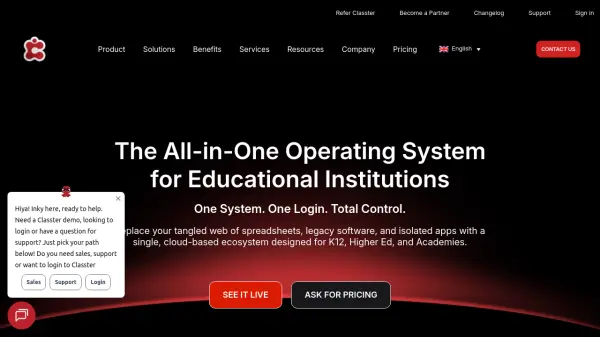
What is Classter?
Classter is a comprehensive, cloud-based platform designed to replace fragmented IT infrastructure in educational institutions. It combines the functionalities of a Student Information System (SIS), School Management System (SMS), Learning Management System (LMS), ERP, and CRM into a single cohesive ecosystem. The platform serves K12 schools, higher education institutions, academies, and training centers, offering tailored solutions for each educational model.
With Classter, institutions can manage the entire student lifecycle from recruitment and admissions to alumni relations. It provides automated enrollment pipelines, curriculum planning, gradebooks, billing cycles, and student engagement tools. The platform features multiple portals for students, educators, parents, alumni, and agents, ensuring that the right data reaches the right person instantly. Classter integrates with over 40 popular tools such as Office 365, Moodle, and Zoom, and offers a robust API for custom integrations.
Features
- Student Information System: Centralized database for student records, attendance, grades, and academic history.
- Learning Management System: Create and manage courses, lessons, assignments, quizzes, and assessments.
- Admissions & Enrollment: Automate application processes with customizable paperless forms and real-time status tracking.
- Financial Management: Streamline billing with automated invoicing, online payment gateways, and fee tracking.
- Parent Portal: Dedicated portal for parents to view calendars, communicate with teachers, and manage payments.
- Student Portal: User-friendly interface for students to access class schedules, homework, grades, and attendance.
- Educator Portal: Tools for lesson planning, attendance tracking, grade entry, and student performance insights.
- Alumni & Careers: Keep graduates connected and facilitate internship opportunities with employer portals.
- Mobile App: Access core functionalities on the go through a mobile application.
- Integrations & API: Seamless connectivity with 40+ tools like Office 365, Moodle, Zoom, and HubSpot.
- Multi-language Support: Available in English, Italian, Greek, French, German, Spanish, and Arabic.
Use Cases
- Manage entire student lifecycle from recruitment to alumni relations.
- Automate admissions and enrollment processes for K12 and higher education.
- Streamline billing and payment collection with online gateways.
- Deliver online courses and track student progress through an integrated LMS.
- Facilitate communication between teachers, students, and parents via portals.
- Track attendance, grades, and assessments in real-time.
- Manage internships and thesis projects with industry partners.
- Coordinate transportation, library, and extracurricular activities.
FAQs
-
Is it difficult to migrate to Classter?
It's very simple. The onboarding team specializes in complex data migration, mapping historical data to the new system to ensure nothing gets lost. -
Can Classter fit our workflows?
Classter is highly configurable to match specific grading systems, curricula, and billing cycles unique to your organization. -
Is Classter safe?
Classter provides a reliable centralized cloud-based environment with the security of MS Azure infrastructure, including Azure Backup for secure backup and disaster recovery. -
How often am I going to be billed?
Classter offers annual and bi-annual billing plans. Bi-annual subscriptions can receive up to 20% discount. -
Can I customize Classter's platform to fit the specific needs of my educational institution?
Absolutely! Classter's modular approach allows complete customization. You can select and integrate specific modules for a tailored solution.