What is cl1p.net?
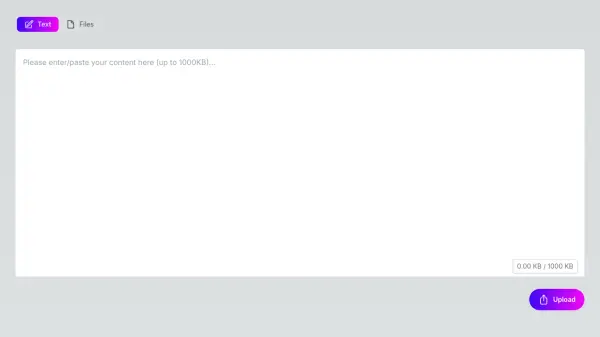
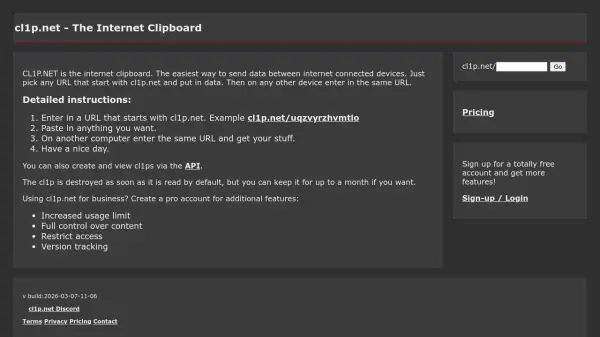
cl1p.net functions as an internet clipboard service designed to simplify data transfer across different devices. Users can create a unique URL starting with cl1p.net, paste any content they wish to share, and access it from another device by entering the same URL. The platform automatically destroys clips after they are viewed by default, but offers options to retain them for durations ranging from one minute up to one month.
For business applications, cl1p.net provides a pro account with enhanced features such as increased usage limits, full content control, access restrictions, and version tracking. The service also supports API integration for creating and viewing clips programmatically, making it versatile for both personal and professional use.
Features
- Custom URLs: Create unique URLs starting with cl1p.net for data sharing
- Temporary Storage: Clips are destroyed after viewing by default with configurable expiration times
- Cross-Device Access: Access pasted content from any internet-connected device
- Pro Account Features: Increased usage limits, content control, access restrictions, and version tracking
- API Integration: Create and view clips programmatically via API
Use Cases
- Transferring text or files between computers without email
- Sharing temporary access codes or passwords securely
- Collaborating on projects by exchanging data quickly
- Backing up small amounts of data temporarily
- Automating data sharing through API integration
FAQs
-
How long does a clip stay available?
Clips are destroyed after viewing by default, but can be set to expire in 1 minute, 10 minutes, 1 hour, 1 day, 1 week, or up to 1 month. -
Can I use cl1p.net without creating an account?
Yes, basic usage is available without an account, but signing up for a free account provides additional features. -
What types of content can I paste into a clip?
You can paste any data, including text, files, or other digital content, into a clip for sharing. -
Is there a limit to how much data I can store in a clip?
Usage limits apply, with increased limits available through a pro account for business users. -
How do I access a clip from another device?
Enter the same cl1p.net URL on any internet-connected device to view the pasted content.