
What is ChatPDFLocal?
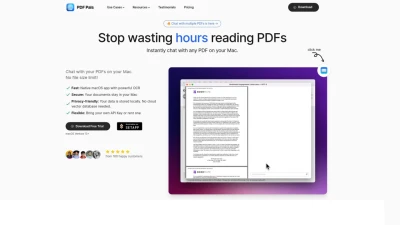
ChatPDFLocal offers a secure and efficient way to interact with PDF documents directly on a Mac. This native macOS application prioritizes user privacy by ensuring all data, including the PDFs and chat history, remains stored locally on the user's machine, never uploaded to the cloud. It provides access to a wide range of powerful Large Language Models (LLMs) such as ChatGPT, Gemini, Llama 4, DeepSeek, and Claude, allowing users to leverage their preferred AI through their own API keys for enhanced analysis and understanding of document content.
The tool supports chatting with multiple PDFs simultaneously in real-time, facilitating comprehensive information retrieval without lengthy waits. It incorporates a built-in local vector database and Retrieval-Augmented Generation (RAG) technology to improve the accuracy and relevance of AI-generated responses. Furthermore, integrated Optical Character Recognition (OCR) capabilities enable the extraction of text and information from visual elements within the PDFs, adding another layer of data processing. The application is designed for a fast and seamless user experience within the macOS environment.
Features
- Native macOS App: Delivers a fast and optimized user experience specifically for macOS.
- Private and Secure: Ensures all user data and PDFs are stored locally, not uploaded to the cloud.
- Multi-LLM Support: Access ChatGPT, Gemini, Llama 4, DeepSeek, Claude, and more via API keys.
- Local LLM Execution: Run models like Gemma and DeepSeek-R1-Distill-Llama directly on the Mac.
- Chat with Multiple PDFs: Load and interact with multiple local PDF files simultaneously.
- Cost-Effective Context: Sends only relevant context information to the LLM, potentially saving on API costs.
- RAG Integration: Built-in local vector database and RAG enhance response quality.
- OCR Capabilities: Extracts information from images within PDFs using built-in OCR.
Use Cases
- Analyzing financial reports securely without cloud upload.
- Reviewing and querying legal documents privately.
- Conducting research across multiple academic papers stored locally.
- Helping students understand complex study materials in PDF format.
- Processing sensitive documents while maintaining data confidentiality.
FAQs
-
How many large language models are supported?
ChatPDFLocal currently supports deepseek r1, deepseek v3, gpt-4o, gpt-4-turbo, gpt-4, gpt-3.5-turbo (OpenAI), claude-3-opus, claude-3-sonnet, claude-3-haiku (Anthropic), and gemini-pro (Google). -
Do I need API Keys for all supported large language models?
No, you only need to configure API Keys for the LLMs you intend to use. Configuring keys for multiple models allows for easy switching within a chat. -
Is there a limit to the number of chats?
Without a license, there is a limit of 30 free requests. With a purchased license (Basic, Premium, or Business), you can have unlimited chats. -
Is there a limit to the number of files loaded per conversation?
Yes. Without a license, you can chat with up to 6 PDFs. Basic users can use up to 10 PDFs, Premium users up to 15 PDFs, and Business users have no limit. -
Where can I purchase a ChatPDFLocal license?
You can purchase a license via the purchase link provided on the website: https://awa-ai.lemonsqueezy.com/buy/e6fc7924-d531-4a56-b3cc-2b9c23455636.