Charmstone favicon

Charmstone
The quicker switcher launcher for macOS

What is Charmstone?

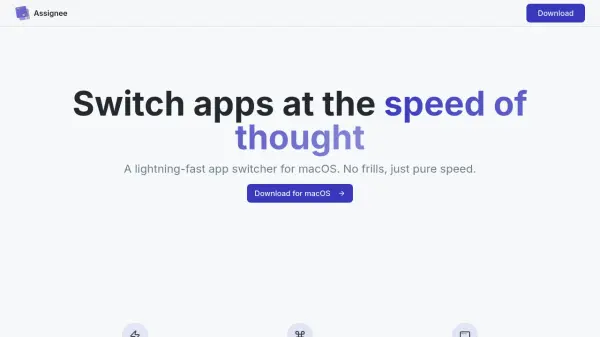
Charmstone is an AI-powered app switcher and launcher designed specifically for macOS, aiming to streamline the process of changing which app has focus. It addresses the mental friction associated with traditional methods like cmd+tab, Spotlight, or dock clicking by leveraging spatial memory techniques, such as the memory palace, to enable rapid recollection of app placements.

The tool minimizes the need for memorization, muscle memory, and customization by requiring only one or two modifier keys combined with cursor movements, arrow keys, or an optimized trackpad gesture. This approach allows users to skip straight to efficiency with practically no learning curve, making it faster and more intuitive than other solutions.

Features

  • Spatial Memory Integration: Uses memory palace techniques for rapid app recollection
  • Minimal Modifier Keys: Requires only one or two modifier keys for efficient switching
  • Multiple Input Methods: Supports modifier+cursor movement, modifier+arrow keys, and optimized trackpad gestures
  • Low Learning Curve: Designed for quick adoption with minimal memorization and customization
  • macOS Compatibility: Supports macOS 10.15+ on both Intel and Apple Silicon processors

Use Cases

  • Quickly switching between apps on macOS without using the dock or cmd+tab
  • Launching apps efficiently with minimal keyboard shortcuts
  • Reducing mental friction in daily app management tasks
  • Improving productivity through faster app focus changes

Related Tools:

Blogs:

  • Best AI tools for recruiters

    Best AI tools for recruiters

    These tools use advanced algorithms and machine learning to automate tasks such as resume screening, candidate matching, and predictive analytics. By analyzing vast amounts of data quickly and efficiently, AI tools help recruiters make data-driven decisions, save time, and identify the best candidates for open positions.

  • Best AI tools for trip planning

    Best AI tools for trip planning

    These tools analyze user preferences, budget constraints, and destination details to provide personalized itineraries, suggest optimal routes, recommend accommodations, and even offer real-time updates on weather and local events.

  • AI thumbnail maker tools

    AI thumbnail maker tools

    Automatically generate visually appealing and optimized thumbnails for various digital content, streamlining the design process and enhancing visual engagement

  • Top 6 AI note-taking tools for 2026: in-person, online, and hybrid use cases

    Top 6 AI note-taking tools for 2026: in-person, online, and hybrid use cases

    Most AI note-taking lists are really lists of meeting bots, which join your video call and transcribe it. That's useful, but it's half the picture. Decisions happen in hallway conversations, client dinners, on-site visits, and hybrid rooms where nobody is on a video link. This guide covers different parts of the note-taking workflow: hardware capture for in-person settings, platform-native tools for online calls, and AI layers for organizing and synthesizing what you've captured. It compares six tools by capture context, workflow fit, pricing, and limitations.

Didn't find tool you were looking for?

Be as detailed as possible for better results