CelestialPDF favicon

CelestialPDF
Work with your Documents smoothly

What is CelestialPDF?

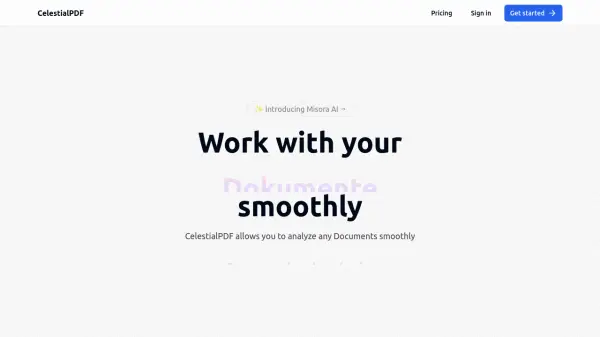
CelestialPDF provides a streamlined experience for interacting with and analyzing documents. The platform integrates advanced AI to maximize work efficiency, offering features beyond typical AI tool capabilities.

Celestial PDF offers functionalities including multi-file comparison, streamlined data reporting, and automated generation of mind maps and graphs. The system is designed to process uploaded files, enabling users to quickly begin asking questions and receiving insights from their documents.

Features

  • Multi PDF: Select and easily compare the data across two different files.
  • Data Reporting: Get more insight into your files.
  • Mindmap and graphs: Automated processes to generate graph and mindmaps to improve workflow.
  • Chat with PDF: Simply ask questions about your PDF and get answers quickly.

Use Cases

  • Analyzing multiple PDF files simultaneously
  • Generating reports from document data
  • Creating visual representations of data with mind maps and graphs
  • Extracting specific information from documents through a chat interface

FAQs

  • What is the cost of the free plan?
    The free plan is €0 per month.
  • How much does the Monthly Pro plan cost?
    The Monthly Pro plan costs €8.99 per month.
  • Is there a trial period for the paid plans?
    The provided content does not specify if there is trial period.

Related Queries

Helpful for people in the following professions

Related Tools:

Blogs:

  • Best ai tools for Twitter Growth

    Best ai tools for Twitter Growth

    The best AI tools for Twitter's growth are designed to enhance user engagement, increase followers, and optimize content strategy on the platform. These tools utilize artificial intelligence algorithms to analyze Twitter trends, identify relevant hashtags, suggest optimal posting times, and even curate personalized content.

  • Top 6 AI note-taking tools for 2026: in-person, online, and hybrid use cases

    Top 6 AI note-taking tools for 2026: in-person, online, and hybrid use cases

    Most AI note-taking lists are really lists of meeting bots, which join your video call and transcribe it. That's useful, but it's half the picture. Decisions happen in hallway conversations, client dinners, on-site visits, and hybrid rooms where nobody is on a video link. This guide covers different parts of the note-taking workflow: hardware capture for in-person settings, platform-native tools for online calls, and AI layers for organizing and synthesizing what you've captured. It compares six tools by capture context, workflow fit, pricing, and limitations.

  • AI thumbnail maker tools

    AI thumbnail maker tools

    Automatically generate visually appealing and optimized thumbnails for various digital content, streamlining the design process and enhancing visual engagement

Didn't find tool you were looking for?

Be as detailed as possible for better results