What is CatBlock?
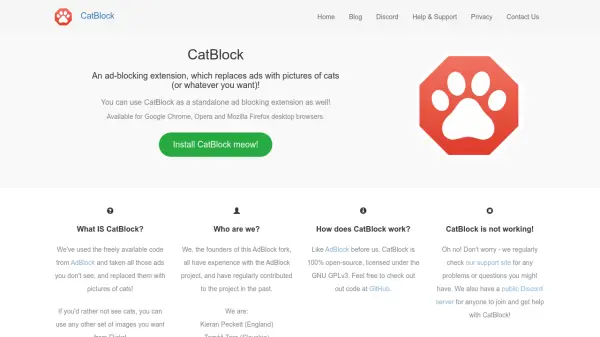
CatBlock is a browser extension designed to block online advertisements while replacing them with images, primarily of cats, though users can customize this with any image set from Flickr. It functions as a standalone ad-blocking tool, built on open-source code from AdBlock and licensed under GNU GPLv3. The extension is compatible with Google Chrome, Opera, and Mozilla Firefox desktop browsers, offering a lighthearted alternative to traditional ad blockers.
Developed by contributors with experience in the AdBlock project, CatBlock emphasizes community involvement through a public Discord server for support and contributions. It provides a straightforward way to enhance browsing by removing ads and adding visual customization, with resources available on GitHub for transparency and further development.
Features
- Ad Blocking: Blocks online advertisements in web browsers
- Image Replacement: Replaces ads with cat pictures or custom images from Flickr
- Browser Compatibility: Available for Google Chrome, Opera, and Mozilla Firefox
- Open-Source: Licensed under GNU GPLv3 with code accessible on GitHub
- Customization: Allows users to choose any image set for ad replacement
Use Cases
- Blocking ads on websites to improve browsing experience
- Customizing web pages by replacing ads with preferred images
- Enhancing privacy by reducing ad tracking
- Creating a more enjoyable browsing environment with cat pictures
- Using as a lightweight alternative to other ad blockers