What is Bookingmood?
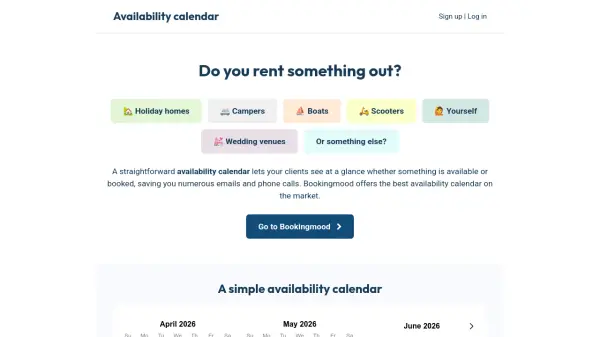
Bookingmood provides a comprehensive availability calendar solution designed to streamline booking management for various rental types, including holiday homes, campers, boats, scooters, wedding venues, and more. The tool enables users to display real-time availability directly on their websites, reducing the need for emails and phone calls by allowing clients to see booking status at a glance.
The platform integrates seamlessly with any website builder or CMS, such as WordPress, Wix, or Squarespace, and supports synchronization with external sites like Airbnb and Booking.com via iCalendar feeds. It offers customizable features, including booking notes, export capabilities, and user management, all while maintaining an ad-free experience with responsive design for all devices.
Features
- Easy to Manage: Simple setup and management with no coding required
- Website Integration: Works with any website builder or CMS, including WordPress and Wix
- Sync Capabilities: 1- and 2-way iCal syncing with platforms like Airbnb and Booking.com
- Customization Options: Style calendars, set first day of week, and add blocked periods
- Multi-Device Support: Availability calendars function perfectly on all devices
- User Management: Add and assign multiple users to one or more calendars
- Data Export: Export calendar data to Microsoft Excel for analysis
- Ad-Free Experience: No ads or spam, ensuring a clean user interface
Use Cases
- Displaying real-time availability for holiday home rentals to reduce booking inquiries
- Synchronizing booking calendars across multiple platforms like Airbnb and Booking.com
- Managing availability for event venues such as wedding locations to prevent double bookings
- Embedding calendars on business websites for rental services like boats or scooters
- Exporting booking data to Excel for financial tracking and analysis
FAQs
-
How do I embed the availability calendar on my website?
Create a widget in Bookingmood and copy the embed code into your website; it works with all website builders. -
Can Bookingmood process bookings directly?
Yes, it can process bookings, but you can also use it as a simple availability calendar without activating all features. -
How many languages does Bookingmood support?
You can translate one calendar into any language and generate multiple embed codes for different language pages. -
What payment options are available?
Bookingmood offers yearly, monthly, and pre-paid plans processed securely through Paddle. -
Can I cancel my subscription at any time?
Yes, you can cancel your subscription at any time, and you will no longer be charged from that moment.