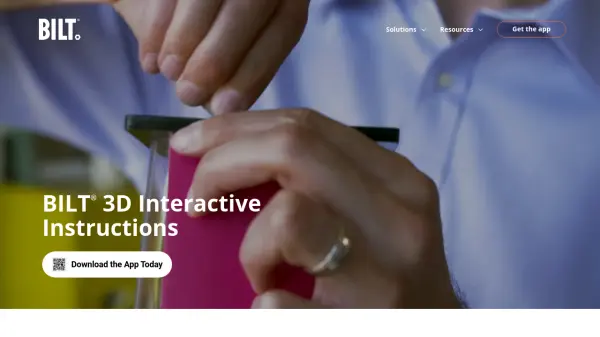


What is BILT?
BILT is a customer experience platform that delivers official 3D interactive instructions through its award-winning mobile app. The platform features Intelligent Instructions® guided by voice, text, and animated images, providing step-by-step assistance for assembly, installation, setup, maintenance, training, and repair tasks. Users can interact with 3D models by zooming, rotating 360 degrees, and replaying steps instantly while following audio and text guidance.
The platform collaborates with manufacturers to create optimized instruction sets that improve over time based on user feedback. Brands utilize BILT to enhance customer satisfaction, reduce support costs, and minimize product returns. The app is available for free on both iOS and Android devices, offering seamless experiences across smartphones, tablets, and Apple Vision Pro with features like FaceTime-enabled remote support and real-time instruction updates.
Features
- 3D Interactive Instructions: Voice, text, and animated guidance for assembly and installation tasks
- Cross-Device Compatibility: Seamless transition between mobile devices and Apple Vision Pro
- Real-Time Updates: Instructions that can be updated in near real time by manufacturers
- User Feedback Integration: Rating and review system that helps improve instructions over time
- Remote Support: FaceTime-enabled assistance for collaborative troubleshooting
Use Cases
- DIY product assembly and installation
- Professional technician training and field support
- Manufacturer customer experience enhancement
- Government readiness programs and green initiatives
- Product maintenance and repair procedures
FAQs
-
What types of products have BILT instructions available?
BILT provides instructions for thousands of products from hundreds of leading brands across various categories including furniture, appliances, electronics, and equipment. -
Can multiple people collaborate using BILT instructions?
Yes, BILT offers FaceTime-enabled remote support features that allow collaborative troubleshooting and guidance during installation or repair processes. -
How do manufacturers update their instructions on BILT?
Manufacturers work with BILT's instruction designers to create and update content, with the ability to push updates in near real time to ensure users always have the most current instructions. -
What languages does BILT support?
BILT instructions are available in 12 different languages to accommodate users worldwide. -
How does BILT handle product registration and warranty tracking?
The BILT app allows users to register products, upload receipts, and track warranties directly within the platform after completing instruction sets.