What is BillOver?
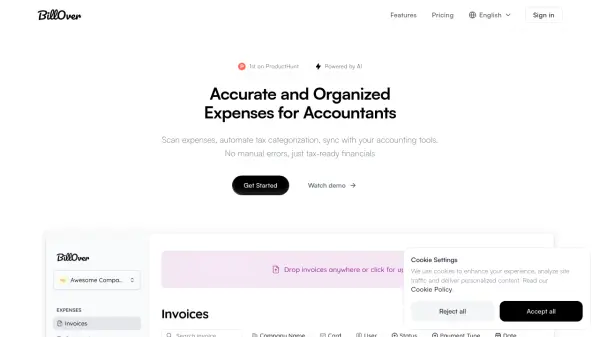
BillOver utilizes Artificial Intelligence to streamline expense management for accountants and bookkeepers. It automates repetitive tasks such as data entry by accurately scanning receipts and invoices (PDF, PNG, or JPEG formats), capturing all relevant details including tax information. This process significantly reduces manual errors and saves valuable time.
The platform automatically categorizes expenses, ensuring financials are tax-ready. Users can organize data efficiently by creating separate organizations for different clients. Approved expenses can be synced directly with popular accounting software like Xero and QuickBooks with just one click, maintaining up-to-date and accurate financial records. This allows accounting professionals to focus on higher-value advisory services for their clients.
Features
- AI-Powered Receipt Scanning: Accurately captures all details from receipts and invoices, including tax.
- Automated Tax Categorization: Automatically categorizes scanned expenses to ensure tax-ready financials.
- Accounting Software Integration: Seamlessly syncs expense data with Xero and QuickBooks.
- Bulk Upload Support: Allows uploading multiple receipts at once in PDF, PNG, or JPEG formats.
- Client Organization Management: Enables creating separate accounts to manage multiple clients' data distinctly.
- One-Click Approval System: Provides a simple interface to review and approve processed expenses.
Use Cases
- Automating expense data entry for accounting firms.
- Ensuring accurate tax categorization of client receipts.
- Streamlining the bookkeeping process by reducing manual tasks.
- Organizing and managing financial documents for multiple clients.
- Integrating expense data directly into Xero or QuickBooks.
- Reducing errors associated with manual expense processing.
FAQs
-
How does BillOver ensure tax accuracy for receipts?
BillOver uses AI-powered scanning to capture every detail from receipts, including tax information, and then automatically categorizes the expenses, ensuring they are tax-ready. -
How can I manage receipts for multiple clients using BillOver?
BillOver allows you to create separate 'Organizations' for each client, keeping their financial data distinct, organized, and easily manageable. -
Can BillOver automatically categorize expenses?
Yes, after scanning the receipts and capturing the data, BillOver automatically categorizes the expenses based on the information extracted. -
Does BillOver integrate with accounting software?
Yes, BillOver offers seamless integration and syncs captured expense data directly with popular accounting platforms like Xero and QuickBooks. -
What file formats does BillOver support for receipt uploads?
You can upload receipts individually or in bulk using PDF, PNG, or JPEG formats.