What is Artist3D?
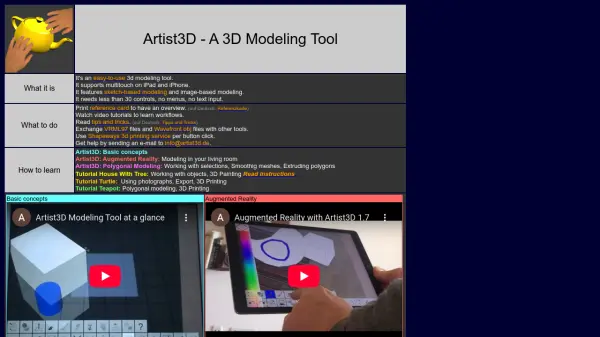
Artist3D simplifies 3D modeling by offering a user-friendly interface optimized for multitouch interaction on iPad and iPhone. Designed with minimal controls and no menus or text input, it enables users to create 3D models using sketch-based and image-based techniques efficiently. The tool supports exchanging files in VRML97 and Wavefront OBJ formats with other applications and integrates with Shapeways for seamless 3D printing.
While Artist3D focuses on modeling features, it does not support rendering, animation, or advanced texturing. Comprehensive tutorials, a printed reference card, and access to helpful resources are provided to streamline the learning process and workflow for users of all skill levels.
Features
- Touch-Based Modeling: Supports multitouch controls on iPad and iPhone.
- Sketch-Based Modeling: Allows users to create models through sketches.
- Image-Based Modeling: Enables modeling using reference images.
- Minimalistic Interface: Less than 30 controls, no menus, and no text input required.
- File Exchange: Facilitates VRML97 and Wavefront OBJ file import/export.
- 3D Printing Integration: Connects to Shapeways 3D printing service with a button click.
Use Cases
- Quick 3D modeling on mobile devices for concept development.
- Educational settings for teaching basic 3D modeling principles.
- Preparing and exporting 3D models for printing via Shapeways.
- Creating and exchanging 3D models in standardized formats for further processing.