What is 960 Grid System?
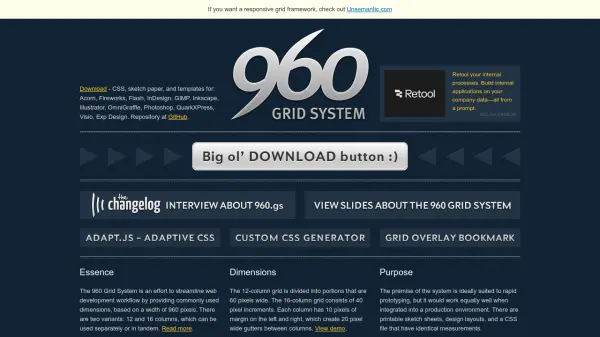
The 960 Grid System is a CSS framework designed to streamline web development workflows by providing standardized grid dimensions based on a 960-pixel width. It includes multiple column variants—12, 16, and 24 columns—that can be used separately or combined, with consistent gutters and margins for precise layout control.
This system supports rapid prototyping and production integration through downloadable CSS files, design templates, and plugins for tools like Photoshop and Fireworks. Features like push and pull classes allow for flexible source order rearrangement, while printable sketch sheets and demo examples facilitate efficient design implementation across various projects.
Features
- Grid Variants: 12, 16, and 24-column options with consistent pixel dimensions
- Flexible Layout: Push and pull classes for independent source order rearrangement
- Design Templates: Printable sketch sheets and templates for various design tools
- Plugins: Includes plugins for Photoshop and Fireworks to integrate with design workflows
- Responsive Derivatives: Adapted versions available for fluid and responsive designs
Use Cases
- Rapid web prototyping with consistent grid structures
- Production website development using standardized CSS frameworks
- Designing layouts for various screen resolutions and devices
- Creating printable design sketches and templates for web projects
- Integrating grid systems into content management systems like Drupal
FAQs
-
What are the main grid variants available in the 960 Grid System?
The system offers 12-column, 16-column, and 24-column grid variants, each with specific pixel dimensions and gutter widths for flexible layout design. -
How does the 960 Grid System support responsive design?
While the core system is based on fixed 960-pixel width, derivative versions have been created to be fluid and responsive, adapting to different screen sizes and devices. -
What design tools are supported with templates or plugins?
Templates and plugins are available for tools including Photoshop, Fireworks, Acorn, Illustrator, InDesign, GIMP, and others, with a Dreamweaver extension also offered.