What is 3D CAD Browser?
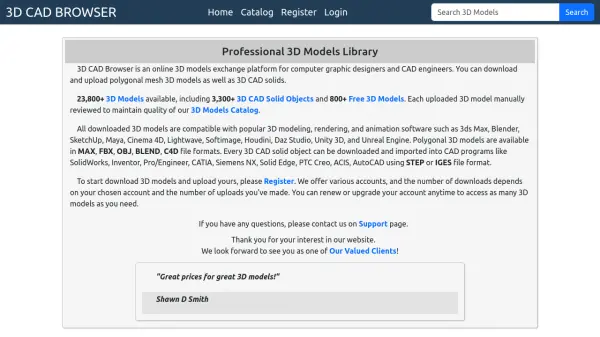
3D CAD Browser serves as a comprehensive online exchange platform for 3D models, catering specifically to computer graphic designers and CAD engineers. The platform enables users to download and upload both polygonal mesh 3D models and 3D CAD solids, with all uploaded content undergoing manual review to ensure catalog quality and reliability.
The library features extensive compatibility with industry-standard software, including 3D modeling tools like 3ds Max, Blender, and Maya, as well as CAD programs such as SolidWorks, Inventor, and AutoCAD. Users can access models through various account types, with download limits based on their subscription level and upload activity, and have the flexibility to upgrade their accounts as needed.
Features
- Extensive Library: Over 23,800 3D models including 3,300+ CAD solids and 800+ free models
- Manual Quality Review: Each uploaded 3D model is manually reviewed to maintain catalog quality
- Wide Software Compatibility: Models work with major 3D software (3ds Max, Blender, Maya) and CAD programs (SolidWorks, Inventor, AutoCAD)
- Multiple File Formats: Supports MAX, FBX, OBJ, BLEND, C4D for polygonal models and STEP/IGES for CAD solids
- Flexible Account System: Various account types with download limits based on subscription and upload activity
Use Cases
- Downloading 3D models for use in 3D modeling and rendering projects
- Uploading and sharing custom 3D models with other professionals
- Accessing CAD solid objects for engineering and design work
- Finding compatible models for specific software like Blender, SolidWorks, or Unity 3D
- Building a personal library of reviewed and quality-assured 3D assets