Your integration worked in staging. On launch day, traffic spikes, users see cryptic errors, and the dashboard shows HTTP 429 responses piling up. The culprit is usually not a bug in your prompt. It is rate limiting: the provider's guardrails on how many requests and how many tokens your account can consume per minute. Understanding RPM, TPM, and the token bucket model is baseline knowledge for anyone shipping on AI API platforms or wiring AI automation into production workflows.
Rate limits in AI tools protect shared GPU clusters and keep latency predictable for all customers. They also shape product design: how many users can chat at once, how large a document you can process in one call, and whether your nightly batch job finishes before morning. This guide explains what providers measure, how token buckets allow controlled bursts, and which queue strategies keep automation reliable when limits bite.
RPM, TPM, and What Providers Actually Measure
Most AI APIs publish two headline limits. RPM (requests per minute) caps how many HTTP calls you can make. TPM (tokens per minute) caps how much text, measured in tokens, you can send and receive across those calls. A single long document can exhaust TPM while RPM stays low. A chat app with tiny messages may hit RPM first. Both limits apply independently; exceeding either triggers throttling.
Tokens include prompt input, completion output, and sometimes cached or system prompt overhead depending on billing docs. Image and multimodal inputs convert to token equivalents in provider pricing tables. Teams that budget only on output tokens routinely underestimate spend and TPM consumption.
Concurrent requests, daily caps, and model-specific quotas
Beyond RPM and TPM, vendors may enforce maximum concurrent in-flight requests, tokens per day on free tiers, separate limits for embedding endpoints versus chat, and lower caps on preview models. Enterprise contracts replace public numbers with custom quotas per region or deployment. Always read the limit table for the exact model ID you call in production, not a similar model name from a blog post.
| Limit type | What it restricts | Typical symptom |
|---|---|---|
| RPM | Number of API calls per minute | 429 errors on bursty chat with short messages |
| TPM | Total tokens processed per minute | 429 on large PDF summarization jobs |
| Concurrency | Parallel open requests | Queueing delay even when RPM headroom exists |
| Daily / monthly cap | Spend or usage on trial accounts | Hard stop until billing tier changes |
How the Token Bucket Algorithm Handles Bursts
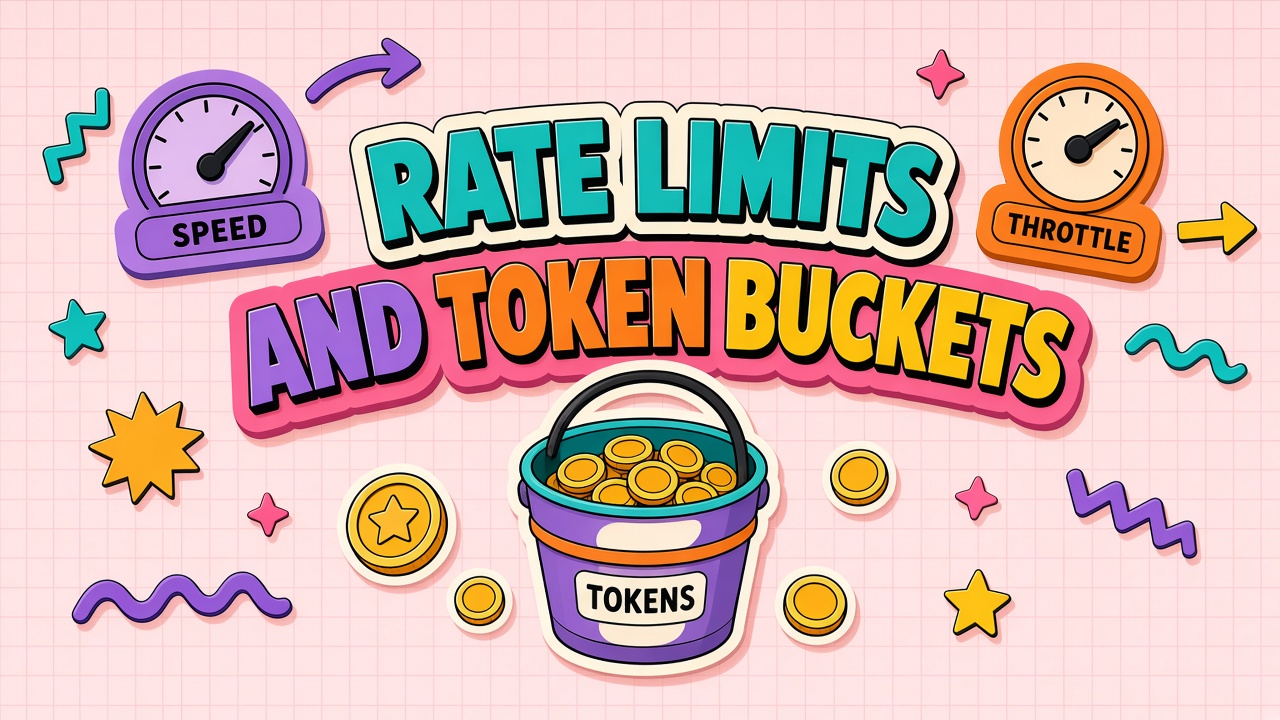
Many providers implement rate limiting with a token bucket (or a closely related leaky bucket). Imagine a bucket that holds a fixed number of tokens. Each API call consumes tokens: one token per request for RPM-style buckets, or N tokens matching payload size for TPM. The bucket refills at a steady rate, for example sixty requests per minute refills one request per second.
Bursts are allowed when the bucket has accumulated unused capacity. If your RPM limit is sixty but you made no calls for thirty seconds, you might send thirty requests immediately before throttling kicks in. That behavior explains why integrations "sometimes work" under spike load and then suddenly return 429 until the bucket refills. It is not random; it is the algorithm doing its job.
Mirroring token buckets in your client
Production clients should implement a local token bucket or sliding window limiter that stays slightly below the provider's published limits. Leave headroom for retries, webhook callbacks, and background jobs sharing the same API key. Libraries in most languages offer rate limiters; the important part is configuring separate buckets for RPM and TPM when both apply.
- Measure tokens before send: Use the provider's tokenizer or a conservative estimate so TPM is predictable.
- Reserve capacity: Hold tokens when a request is in flight; release on failure if the provider does not bill failed calls.
- Jitter backoff: On 429, read Retry-After headers when present; otherwise exponential backoff with random jitter.
- Per-tenant keys: SaaS products should isolate customer traffic so one tenant cannot exhaust the shared bucket.
Burst Handling for Chat, Agents, and Automation
Interactive products need burst tolerance. Users click send in clusters during meetings. Agents loop through tool calls, each round trip counting as a request. Automation platforms fan out hundreds of workflow steps when a trigger fires. Without burst planning, the first minute after a marketing email goes out looks like a DDoS to your API key.
Mitigations combine technical and product choices. Queue non-urgent work behind a worker with a configured send rate. Shard traffic across multiple API keys only when the provider contract allows it; some agreements prohibit key splitting to evade limits. Upgrade tiers before launch if load tests show sustained TPM above free or pro ceilings. For automation tools, verify whether the vendor pools limits across all customers or gives you isolated quota.
Streaming does not exempt you from limits
Streaming responses still consume TPM as tokens generate. Long streams tie up concurrency slots. Cancelling a stream mid-generation may still bill partial output depending on provider policy. Rate limit errors can arrive after the connection opens, which is awkward for UX. Client code should handle 429 on stream setup and mid-stream failures with graceful messages and retry options.
Queue Strategies When Limits Bind
When demand exceeds quota, something must wait. The choice is whether waiting happens in your queue, the provider's queue, or in front of an angry user staring at a spinner.
- Fair per-user queues: Each end user gets a small bucket so power users do not starve others on shared SaaS keys.
- Priority lanes: Paid tier jobs jump ahead of free tier background enrichment.
- Batch offload: Defer bulk work to batch APIs with separate limits and pricing.
- Model routing: Route overflow to a smaller or cheaper model with higher TPM when quality tradeoffs are acceptable.
- Dead letter queue: After max retries, park failed jobs for manual replay instead of infinite loops burning quota.
Observability is non-negotiable. Track 429 rate, retry count, p95 queue wait, and tokens consumed per feature flag. Limits that bind silently push latency up before errors appear. Dashboards should alert when utilization crosses seventy percent of TPM for sustained intervals.
Monitoring, Alerting, and Capacity Planning
Rate limits are easier to respect when you see them coming. Instrument every outbound AI call with request ID, model name, estimated input tokens, output tokens, latency, and HTTP status. Aggregate by feature flag, customer tier, and API key. A sudden TPM spike often traces to a new RAG chunk size or an agent loop that forgot a step cap, not to organic user growth.
Set alerts at two thresholds: warning at seventy percent of sustained TPM for fifteen minutes, and critical at ninety percent or any 429 rate above one percent of requests. Warning triggers should page the on-call engineer during business hours; critical triggers should suggest automatic degradation such as shorter context windows or fallback to a smaller model. Post-incident reviews should compare actual token usage to forecasts in your capacity plan.
Capacity planning worksheets should list peak concurrent users, average turns per session, tokens per turn for input and output, and batch job contribution if nightly jobs share the same key. Multiply by a safety factor of one point five to two for launch weeks. Revisit the worksheet when you add multimodal inputs, enable parallel tool calls, or onboard a large enterprise tenant with dedicated SLA language in the contract.
Enterprise Quotas and What to Negotiate
Public tier limits are starting points. Enterprise agreements can raise RPM, TPM, and concurrency, reserve capacity in specific regions, and add dedicated endpoints. Procurement should bring traffic projections: peak concurrent users, average tokens per session, batch job sizes, and growth assumptions for twelve months.
Ask whether limits are hard stops or soft throttles with gradual degradation. Confirm behavior during provider incidents: do limits tighten globally? Is there a status page commitment? For regulated industries, document which API keys and regions are in scope for the quota letter so audits match production configuration.
Frequently Asked Questions
Which limit will we hit first, RPM or TPM?
It depends on payload shape. Short, frequent messages hit RPM. Long documents and RAG contexts with big retrieved chunks hit TPM. Load test with realistic prompts from production logs, not toy examples.
Can we use multiple API keys to multiply limits?
Technically sometimes, but many contracts forbid evasion. Even when allowed, operations complexity rises: key rotation, per-key billing, uneven shard load. Prefer official quota increases or batch endpoints.
How should we retry after a 429 error?
Honor Retry-After when the response includes it. Otherwise use exponential backoff with jitter. Cap max retries and surface user-visible errors rather than blocking the UI indefinitely. Log correlation IDs for support tickets.
What do enterprise quotas usually include?
Higher RPM and TPM, raised concurrency, optional dedicated capacity, priority support during outages, and sometimes custom model deployments. Exact numbers vary by spend commit and region. Get limits in writing per model ID.
Do no-code automation tools hide rate limits from us?
Often yes. The vendor shares a pool across tenants or wraps your calls in their key. Failures may appear as generic "action failed" messages. Ask for transparency on whether you bring your own key and whether limits are pooled or dedicated.
Designing for Limits Instead of Fighting Them
Rate limits and token buckets are features of shared AI infrastructure, not bugs in your code. Teams that model RPM and TPM in load tests, implement client-side limiters, and queue overflow work ship calmer products than teams that treat 429 errors as surprises.
Whether you integrate directly with an AI API or orchestrate through automation software, understand the published limits, burst behavior, and enterprise path before you promise real-time scale. Limits will bind eventually; your architecture should make that moment boring.