AI video tools can produce an impressive short clip in minutes. The harder problem begins when that clip ends too soon. A product rotation stops before the logo is fully visible, a character reaches a doorway without completing the action, or a camera move cuts off before the reveal.
Adding more seconds is not enough. The new footage must preserve the same subject, motion, framing, lighting, and scene logic. A unified workspace such as Ezier AI helps keep generation, model selection, editing, and follow-up refinement within one creative process, but the quality of an extension still depends on how the source clip and prompt are prepared.
Here is a practical workflow for extending AI-generated videos while reducing visual drift.
Why Video Extensions Often Break
An AI video extender predicts what should happen after the final frames of an uploaded clip. When those frames are clear, the model has useful information about the subject, movement, camera, and environment. When they contain blur, a hard cut, an obstruction, or a sudden change of direction, the model has to guess.
Most visible failures begin at this handoff point. A face may change, an object may reverse direction, the camera may jump, or the background may shift. The best way to improve an extension is therefore to make the ending easier to read before generating anything new.
1. Start With the Right Source Clip
The final second of the source matters more than the opening. Choose a clip that ends with:
a clearly visible main subject;
one understandable direction of motion;
stable or gradually changing lighting;
a camera move that can logically continue;
minimal obstruction from text, graphics, or foreground objects.
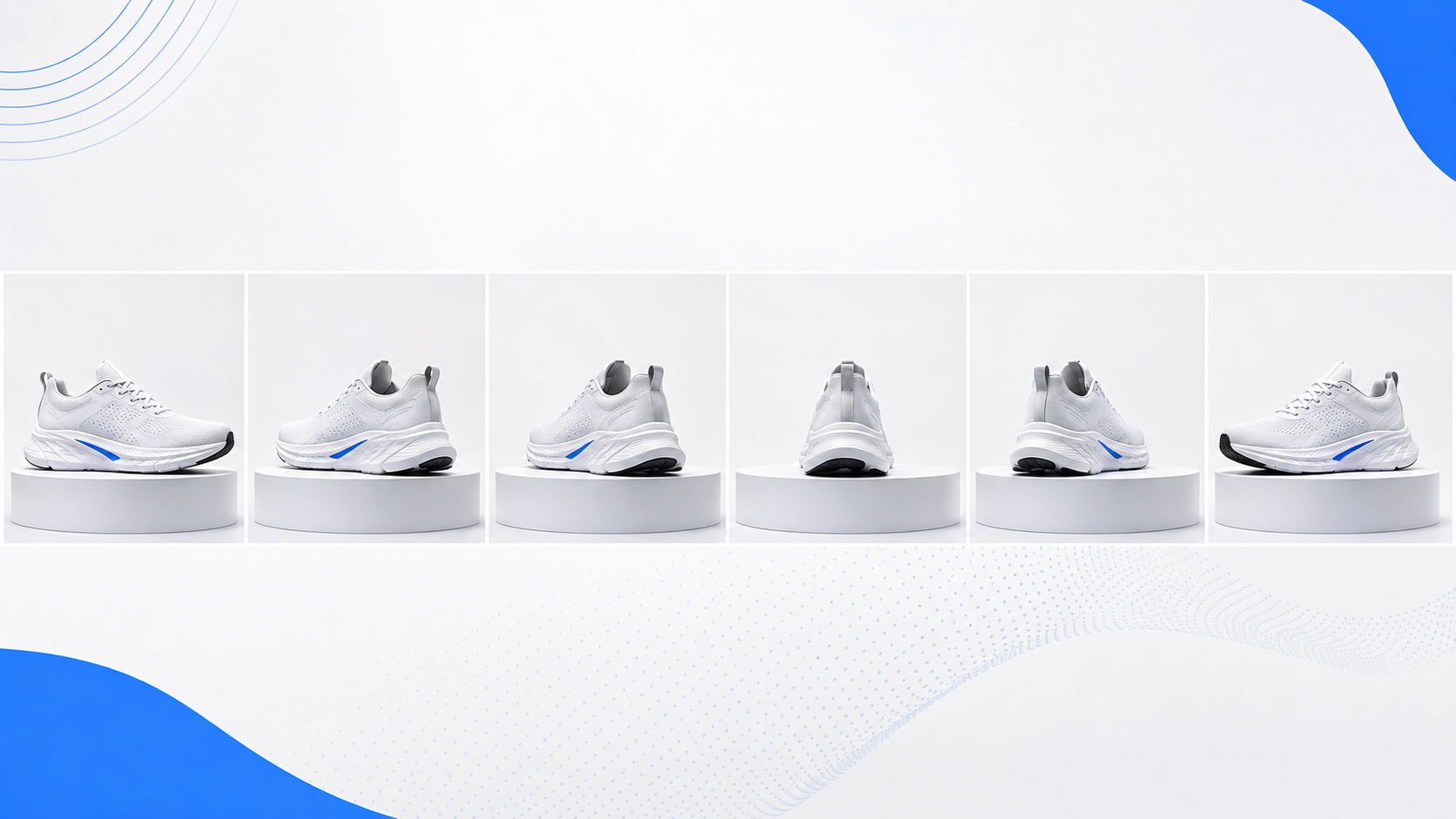
A shoe rotating slowly on a clean pedestal is easier to extend than a reflective product moving through flashing lights. A person walking steadily toward a door is easier than a person turning during a whip pan.
Trim away hard cuts, heavy motion blur, or sudden camera changes near the ending. Removing a small unstable section can improve continuity more than adding a longer prompt.
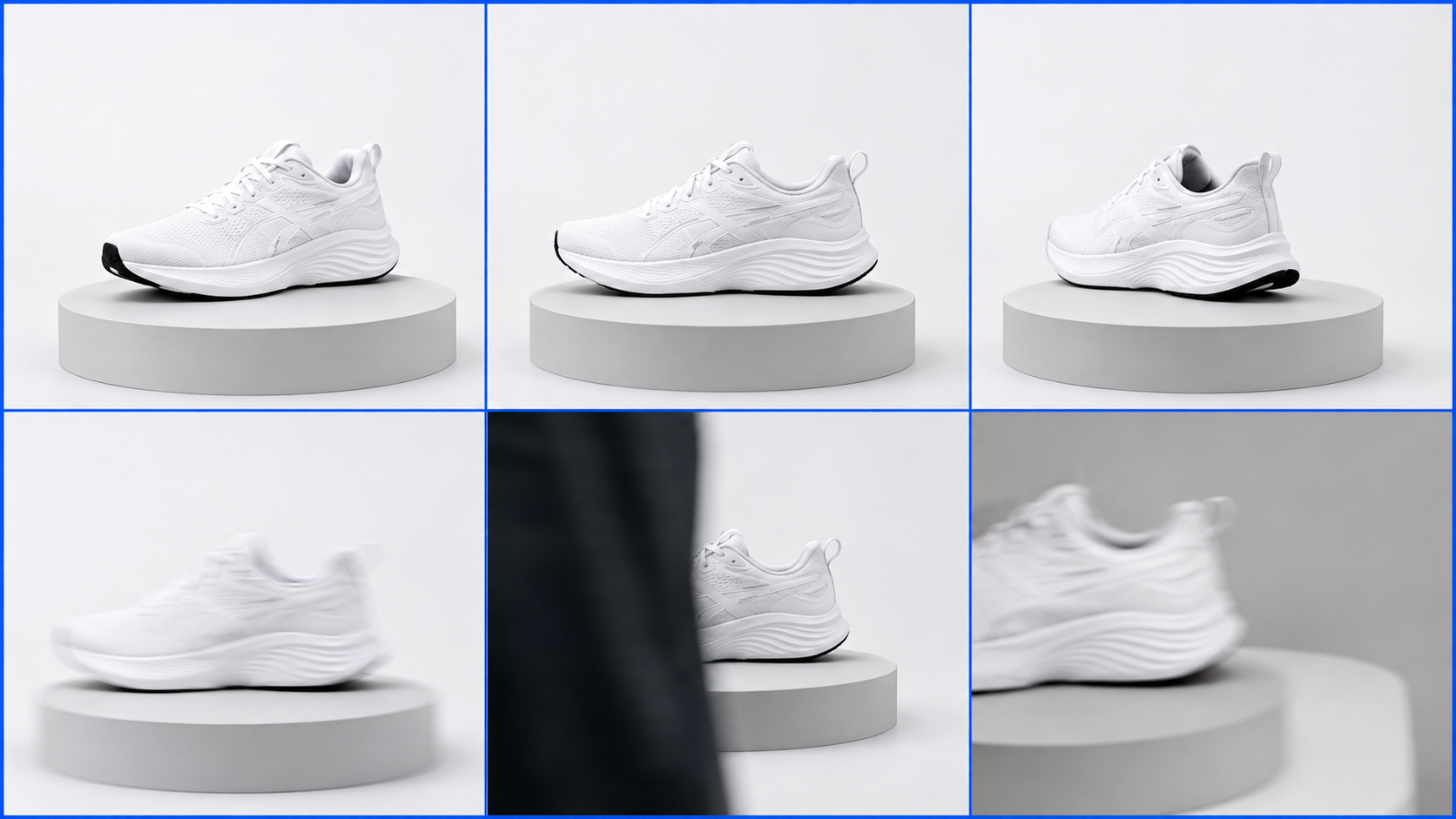
2. Define One “Next Beat”
Before writing the prompt, decide what the extension needs to accomplish. Give it one main job.
Useful next beats include:
continuing a walk, rotation, pan, or push-in;
completing a reveal that has already started;
holding a product on screen for a caption or call to action;
allowing a character to finish a simple movement;
extending ambient motion to create room for narration.
Avoid asking for several major changes at once. Continuing the motion, changing the location, introducing another character, and switching camera angles in one generation gives the model too many opportunities to drift.
A small, specific development is easier to control and usually more useful in an editing timeline.
3. Write a Continuity-First Prompt
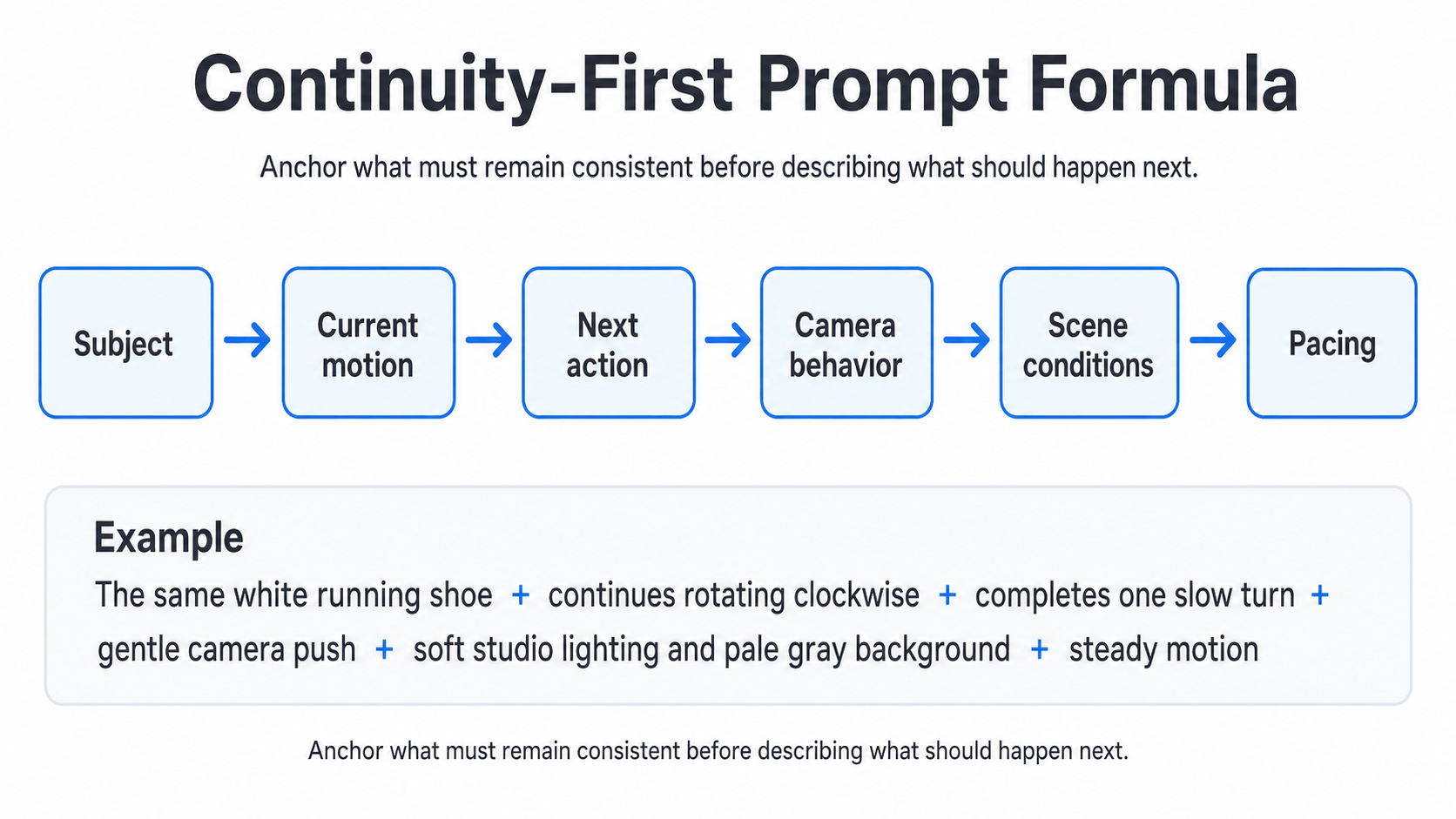
An extension prompt should first state what must remain stable, then describe what happens next. A practical structure is:
Subject + current motion + next action + camera behavior + scene conditions + pacing
For example:
The same white running shoe continues rotating slowly clockwise on the pedestal. The camera maintains a gentle forward push. Soft studio lighting, pale gray background, realistic product proportions, steady motion, no new objects.
This works because it anchors the subject, direction, camera, lighting, and speed. It asks for one modest continuation rather than an entirely new scene.
Compare that with:
Make the shoe video more exciting and give it a dramatic commercial ending.
Words such as “exciting” and “dramatic” are open to interpretation. The model may redesign the product, change the lighting, or introduce a new setting.
Three prompt habits make a major difference:
State direction clearly
Use language such as “continues moving from left to right,” “keeps rotating clockwise,” or “the camera continues pushing forward.” This reduces accidental reversals.
Separate constants from changes
Name what must stay the same before introducing the next action. For example: “The character’s clothing, facial appearance, and lighting remain unchanged as she opens the door.”
Keep the prompt proportional to the shot
A simple shot needs a simple prompt. Extra details can introduce objects or visual ideas that were not present in the original footage.
4. Extend in Short Passes
Trying to create one long continuation often increases drift. Small inconsistencies accumulate until the subject, background, or camera no longer matches the source.
A safer method is:
Generate a short continuation.
Review the handoff and the final frame.
Keep the result only if identity, motion, and framing remain stable.
Use the successful output as the source for another pass if more time is needed.
This creates checkpoints. It is especially useful for faces, hands, detailed products, mechanical movement, and scenes with several depth layers.
The goal is not to generate the longest possible clip. It is to produce enough clean footage for the final edit.
5. Review the Handoff Carefully
Do not judge only the attractive frames near the end of the result. Watch the last part of the source and the first part of the extension together.
Check:
Subject identity: Does the face, clothing, object, or product shape remain recognizable?
Motion direction: Does movement continue without reversing or pausing?
Camera path: Does the pan, tilt, push, pull, or static framing remain consistent?
Lighting: Do brightness, shadows, highlights, and color temperature match?
Background geometry: Do walls, doors, furniture, and horizon lines stay in place?
Pacing: Does the continuation move at a compatible speed?
Composition: Does the subject suddenly jump in size or position?
Review the transition at normal speed and frame by frame. A single unstable frame may be hidden with a cut, dissolve, overlay, or brief motion blur. A longer identity change usually requires another generation.
Common Problems and Fixes
The subject changes appearance. This usually happens when the extension is too long or the prompt introduces too many new instructions. Shorten the pass and explicitly preserve the person’s identity, clothing, or the product’s defining details.
The motion reverses. The model may not understand the intended direction. State it plainly, such as “continues moving from left to right,” and use a source clip whose final motion is easy to read.
The camera jumps. New camera instructions may conflict with the source. Continue the existing pan, push, pull, tilt, or static framing instead of introducing a new movement.
The lighting changes. The prompt may sound like a request for a new scene. Anchor the lighting, background, color temperature, and time of day before describing the next action.
Extra objects appear. Open-ended prompts give the model room to invent details. Name the important elements that should remain and add a simple restriction such as “no new objects.”
Fine details deform. Blur, occlusion, reflections, or complex motion near the handoff can reduce stability. Trim the source to a cleaner ending or generate a shorter continuation.
Change one variable at a time. Rewrite the prompt for directional errors, shorten the duration when drift increases, and try another compatible model when the overall visual style changes.
A Practical Workflow in Ezier
Ezier’s AI video extender follows a direct workflow: upload a clip, select a model, describe the next beat, generate the extension, and review the result.
For more reliable output:
Prepare the clip. Remove unstable frames, hard cuts, or large overlays near the ending.
Choose a readable handoff. End on a frame where the subject and motion are easy to understand.
Keep the settings consistent. Match the source aspect ratio and choose suitable output options.
Write one focused continuation. Anchor the subject, direction, camera, lighting, and pacing.
Generate a short pass. Check continuity before attempting a longer version.
Refine the correct variable. Adjust the prompt, duration, source ending, or model rather than changing everything at once.
Finish the asset. Edit, enhance, upscale, add captions, or combine it with the larger sequence.
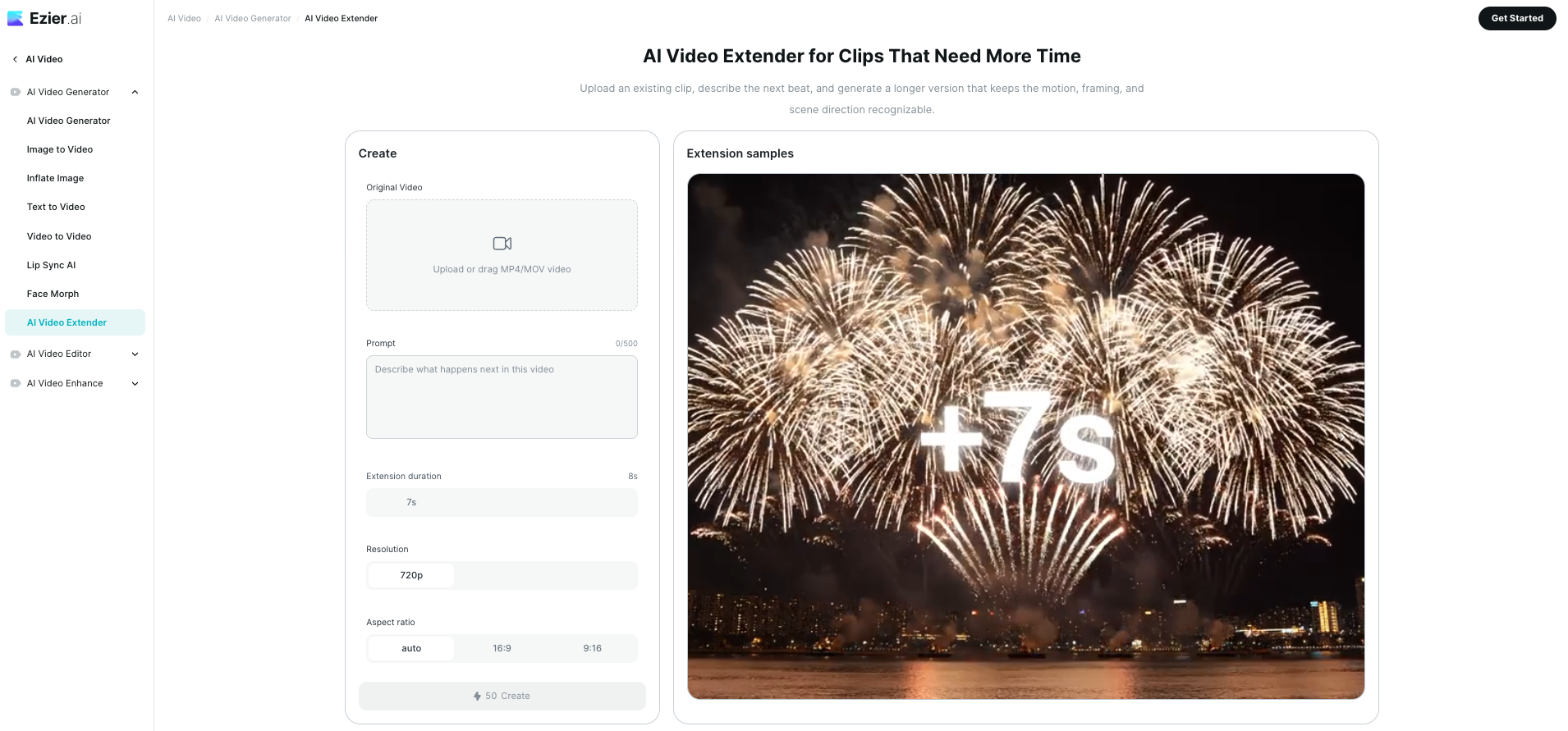
This approach is useful when the original shot already works and only needs more time. It avoids rebuilding a successful visual direction from scratch.
Where Video Extension Is Most Useful
Product and e-commerce content
A product shot may need a few more seconds for a price, feature callout, logo, or call to action. Continuing a stable rotation or camera push often looks better than freezing the final frame.
Social media videos
Short-form clips frequently need a stronger ending or more room for captions. A brief continuation can improve pacing without creating an obvious repeated loop.
Narrative and cinematic experiments
Creators can complete an approach, reveal, doorway movement, or environmental shot. Building a scene from several controlled beats is often more reliable than demanding one long generation.
Presentations and explainers
A visual may end before the voiceover finishes. Continued ambient motion can create space for narration without leaving the screen completely static.
When to Generate a New Shot Instead
Extension is designed to continue an existing moment. Generate a separate shot when the next part requires:
a different location or time of day;
a major change in camera angle;
a new character or product;
a large stylistic transformation;
a complex action that has not begun in the source.
Trying to force a complete scene change through extension often produces an unstable result. A deliberate cut between two separately planned shots will usually look cleaner.
Conclusion
Good AI video extension is less about asking for more footage and more about protecting what already works. Begin with a readable ending, define one next beat, write concrete continuity instructions, and generate in short passes. Then inspect the handoff rather than judging the new frames in isolation.
With this method, a short clip can become a more usable product shot, social video, narrative moment, or campaign asset without starting the entire creative process again.