What is xeokit?
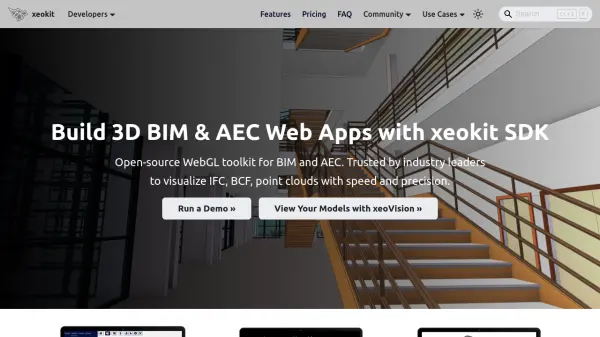
xeokit provides a comprehensive JavaScript graphics programming toolkit specifically designed for BIM and AEC applications. It enables developers to create web-based visualization tools that can load and render complex, federated engineering models at full precision. The toolkit includes a hardware-accelerated renderer optimized for viewing highly-detailed real-world models, supporting double-precision geometry for accurate rendering without loss of precision.
The platform offers a complete 3D toolkit with dynamic scenes, animations, physically-based materials, interactive section planes, annotations, and various measurement tools. Developers can load multiple model formats into the same scene, including IFC, glTF, OBJ, STL, 3DXML, LAZ/LAS, CityJSON, and XKT. The XKT format serves as xeokit's highly optimized native geometry format, enabling fast loading of hundreds of thousands of objects in seconds.
Features
- Fast Loading: Ultra-compact native XKT geometry format loads hundreds of thousands of objects in seconds
- Double-Precision Rendering: Accurately view building model geometry in global coordinates without rounding errors
- Multiple Format Support: Load IFC, glTF, OBJ, STL, 3DXML, LAS, LAZ, CityJSON, and XKT formats
- Complete 3D Toolkit: Dynamic scenes, animations, physically-based materials, interactive section planes, and annotations
- Plugin Library: Navigation tools, measurement tools, collaboration features, and various loaders for accelerated development
Use Cases
- Building interactive BIM web applications for architectural visualization
- Creating AEC project collaboration platforms with 3D model viewing
- Developing GIS applications that require accurate building model rendering
- Building web-based point cloud visualization tools for surveying data
- Creating custom 3D model viewers for engineering and construction projects
FAQs
-
What file formats does xeokit support for model loading?
xeokit supports loading IFC (2x3 & 4.3), CityJSON, glTF, OBJ, 3DXML, LAS, LAZ and XKT formats, with XKT being its highly-optimized native geometry format. -
Can xeokit edit and save IFC files?
No, xeokit is designed as a front-end visualization tool and does not support editing or saving IFC files. It focuses on efficient interaction with large models by converting them to compact formats for browser viewing. -
What makes xeokit different from standard Web graphics libraries?
xeokit is purpose-built for BIM/AEC visualization with fast loading of ultra-compact native formats, fast rendering of hundreds of thousands of objects, double-precision rendering for global coordinates, and a BIM-friendly programming API with specialized plugins. -
How does xeokit handle large model visualization?
xeokit uses a hardware-accelerated renderer specifically designed for complex engineering models, supports double-precision geometry to maintain accuracy, and employs its XKT format for highly compressed model data that loads quickly over the web.