What is WTF?
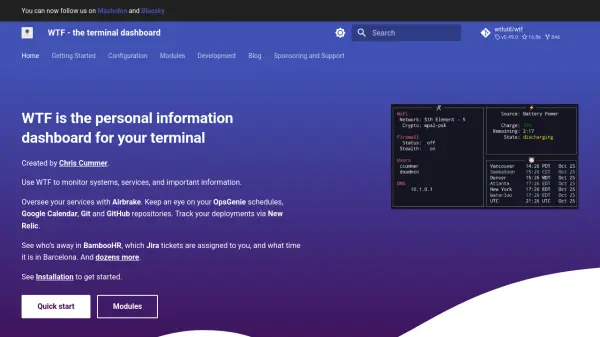
WTF is a terminal dashboard designed to provide users with a centralized view of their systems, services, and critical information. It enables monitoring of diverse sources such as Airbrake for error tracking, OpsGenie for schedules, Google Calendar for events, and Git repositories for version control. The tool integrates with platforms like New Relic for deployment tracking, BambooHR for employee status, and Jira for ticket management, offering real-time updates directly in the terminal interface.
With support for dozens of modules, WTF allows customization to track specific data points, including time zones, weather, stocks, and more. It is built for efficiency, helping users streamline their workflow by consolidating multiple monitoring tasks into a single, accessible dashboard. The tool is open-source and community-driven, with resources for installation, configuration, and development to enhance its functionality.
Features
- Terminal Dashboard: Centralized interface for monitoring systems and services in the terminal
- Module Integration: Supports dozens of modules for platforms like Airbrake, Google Calendar, Git, Jira, and more
- Real-Time Monitoring: Provides live updates on deployments, schedules, tickets, and other critical information
- Customization: Allows configuration of grid layout and module settings to tailor the dashboard to user needs
- Open-Source: Community-driven development with resources for installation and module creation
Use Cases
- Monitoring system errors and deployments in real-time
- Tracking schedules and events from Google Calendar and OpsGenie
- Overseeing Git and GitHub repositories for updates and changes
- Managing Jira tickets and BambooHR employee status
- Checking time zones, weather, stocks, and other personal information
FAQs
-
How do I install WTF on my system?
Refer to the Installation section on the website for step-by-step instructions based on your operating system. -
Can I create custom modules for WTF?
Yes, the Development section provides resources for creating new modules to extend functionality. -
What platforms does WTF integrate with?
It integrates with dozens of platforms including Airbrake, Google Calendar, Git, Jira, New Relic, and more, as listed in the Modules section. -
Is WTF suitable for non-technical users?
WTF is primarily designed for technical users familiar with terminal interfaces and system monitoring. -
How can I customize the dashboard layout?
Use the Configuration files and Grid Layout settings to adjust the arrangement and display of modules.