What is Wrytar AI?
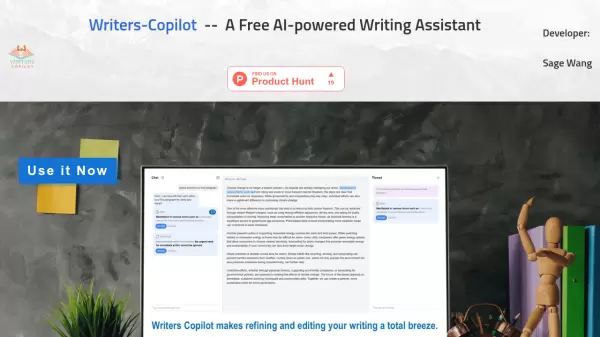
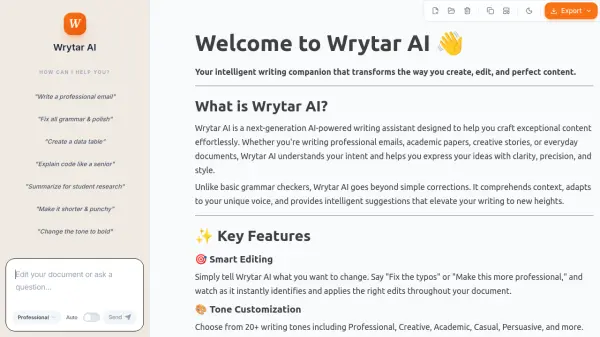
Wrytar AI is a free AI-powered writing assistant and document editor designed to enhance content creation across various formats. It provides intelligent suggestions for improving writing instantly, understanding context to offer relevant edits. Users can transform their content to match over 20 tone styles, including professional, casual, friendly, formal, and persuasive options.
The tool includes features such as smart rewrites that maintain the core message while revising paragraphs or entire documents. It offers version history for tracking changes with automatic version control, allowing users to restore previous versions with one click. Documents can be exported to multiple formats, including Word, PDF, Markdown, HTML, or plain text. Wrytar AI operates without requiring signup, saving documents locally in the browser for privacy and immediate access.
Features
- AI-Powered Editing: Get intelligent suggestions to improve writing instantly with context-aware edits
- 20+ Tone Styles: Transform content to match any tone, including professional, casual, friendly, formal, and persuasive
- Smart Rewrites: Completely rewrite paragraphs or entire documents while maintaining the core message
- Version History: Track all changes with automatic version control and restore previous versions with one click
- Export Options: Export documents to Word, PDF, Markdown, HTML, or plain text formats
- No Signup Required: Start writing immediately without creating an account, with documents saved locally in the browser
Use Cases
- Writing blog posts and articles
- Creating and editing emails
- Refining marketing content
- Academic writing for students and researchers
- Business communications and reports
- Creative writing projects
FAQs
-
Is Wrytar AI completely free to use?
Yes, Wrytar AI is completely free to use with no hidden limits and no credit card required. -
How does Wrytar AI handle user privacy?
Wrytar AI is privacy-first, with content saved locally in the browser and no signup required. -
What formats can I export my documents to?
Documents can be exported to Word, PDF, Markdown, HTML, or plain text formats. -
Does Wrytar AI require an account to start writing?
No, Wrytar AI does not require signup; users can start writing immediately without creating an account. -
How does the version history feature work?
Version history automatically tracks all changes, allowing users to restore any previous version with one click.