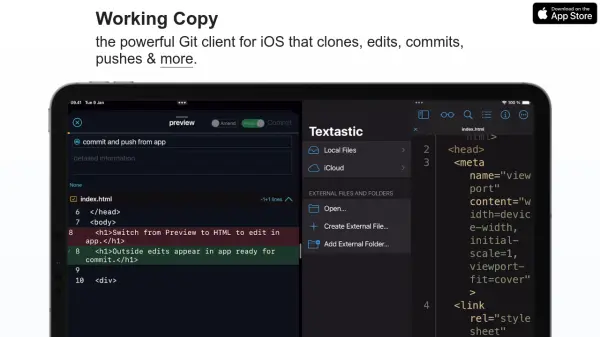

What is Working Copy?
Working Copy is a sophisticated Git client designed for iOS, enabling users to clone repositories, edit files, and commit code changes directly from their mobile devices. With seamless integration into the iOS environment, it supports workflows such as code preview, file management through the Files app, and automated tasks with Shortcuts and x-callback-url.
An AI-driven assistant provides code completion and commit suggestions, improving coding efficiency and accuracy. The tool offers secure signed commits, large file storage support, repository search, offline capabilities, and a built-in web IDE for HTML and JavaScript preview. It integrates with numerous hosting services, ensuring developers can manage, review, and push changes anywhere, anytime.
Features
- AI-Powered Coding: Code completion and commit suggestions using GPT technology.
- Seamless Git Operations: Clone, edit, commit, and push repositories from iOS devices.
- Automation Support: Integrates with Shortcuts and x-callback-url for task automation.
- Search and Navigation: Find files, symbols, or text occurrences across repositories.
- Hosting Integration: Works with GitHub and multiple repository hosting services.
- Signed Commits: Enables secure workflow with commit signing.
- Merge Conflict Resolution: Fast and safe resolution of merge and rebase conflicts.
- Large File Support: Handles huge assets with Git LFS integration.
- Offline Access: Full repository access and operations without internet.
- Web IDE Preview: HTML preview and JavaScript console capabilities.
Use Cases
- Mobile code editing and committing for remote development.
- AI-assisted code completion for efficient programming.
- Offline coding and version control while traveling.
- Secure signing and pushing code for enterprise or team workflows.
- Automated DevOps pipelines leveraging Shortcuts automation.
- Collaborative contribution to open-source projects directly from iOS.
- Resolving merge conflicts while on the go.
FAQs
-
Does Working Copy support AI-powered coding assistance?
Yes, it provides GPT-powered code completion and commit suggestions, with user opt-in for privacy. -
Can I use Working Copy with GitHub and other hosting services?
Yes, the app integrates with GitHub and a variety of other repository hosting platforms. -
Is it possible to work offline with my repositories?
Yes, once a repository is cloned, all features are available offline, including editing and committing. -
Does Working Copy support automation?
Yes, it supports automation via iOS Shortcuts and x-callback-url. -
Can large files be managed through Working Copy?
Yes, Git LFS is supported to efficiently manage and store large files.