GitBrain favicon

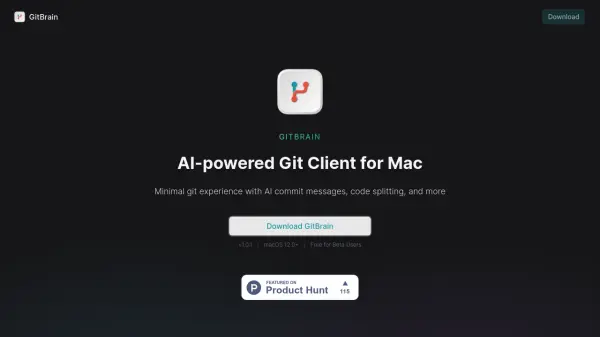
GitBrain
AI-powered Git Client for Mac

What is GitBrain?

GitBrain is a native macOS application designed to streamline the Git workflow for developers. It leverages AI to automate and simplify common Git tasks, allowing developers to focus on writing code.

The application intelligently detects projects from various IDEs and provides features such as AI-generated commit messages, code splitting, and self-code review summaries. With its keyboard-friendly design and optimized performance, GitBrain offers a seamless and efficient Git management experience.

Features

  • AI-Generated Commits: Automatically generates commit messages using AI.
  • Code Splitting: Intelligently splits code changes into multiple commits.
  • Self Code Review: Generates summaries of code changes for easy review.
  • IDE Integration: Auto-detects projects from popular IDEs.
  • Keyboard Shortcuts: Offers keyboard shortcuts for efficient Git operations.
  • Native macOS App: Optimized performance and native UI for a seamless Mac experience.

Use Cases

  • Streamlining the Git workflow for individual developers.
  • Improving code review processes with AI-generated summaries.
  • Automating commit message creation.
  • Managing Git operations with keyboard shortcuts.
  • Managing multiple projects across different IDE's.

Related Tools:

Blogs:

  • Best AI tools for Lawyers

    Best AI tools for Lawyers

    streamline legal processes, enhance research capabilities, and improve overall efficiency in the legal profession.

  • Best AI tools for Product Photography

    Best AI tools for Product Photography

    Explore top AI tools that can elevate your product photography, helping you enhance images, streamline workflows, and create professional visuals with ease.

  • Top 6 AI note-taking tools for 2026: in-person, online, and hybrid use cases

    Top 6 AI note-taking tools for 2026: in-person, online, and hybrid use cases

    Most AI note-taking lists are really lists of meeting bots, which join your video call and transcribe it. That's useful, but it's half the picture. Decisions happen in hallway conversations, client dinners, on-site visits, and hybrid rooms where nobody is on a video link. This guide covers different parts of the note-taking workflow: hardware capture for in-person settings, platform-native tools for online calls, and AI layers for organizing and synthesizing what you've captured. It compares six tools by capture context, workflow fit, pricing, and limitations.

Didn't find tool you were looking for?

Be as detailed as possible for better results