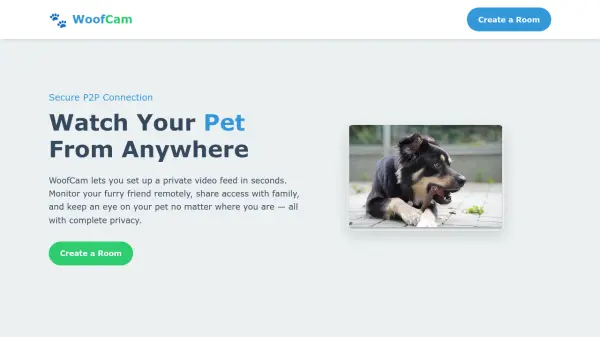
WoofCam
Watch Your Pet From Anywhere

What is WoofCam?

WoofCam enables users to create private video rooms in seconds for monitoring pets from any location. The platform utilizes peer-to-peer technology to ensure video feeds remain completely private by never touching external servers, providing direct and secure connections between devices.

With no downloads or installations required, WoofCam offers quick setup and immediate streaming from any device. Users can easily share access with family members through unique links or QR codes, making it simple for multiple people to check in on pets remotely while maintaining complete privacy.

Features

  • Private Video Rooms: Create secure spaces for monitoring pets remotely
  • Peer-to-Peer Technology: Ensures video feeds never touch external servers for complete privacy
  • Quick Setup: No downloads or installations required, create rooms in seconds
  • Easy Sharing: Generate unique links or QR codes to share access with family members
  • Device Compatibility: Stream from any device with internet access

Use Cases

  • Remote pet monitoring while away from home
  • Sharing pet access with family members who live elsewhere
  • Checking on pets during work hours or vacations
  • Monitoring pet behavior and activity patterns
  • Ensuring pet safety and well-being remotely

Related Tools:

Blogs:

  • Best AI tools for recruiters

    Best AI tools for recruiters

    These tools use advanced algorithms and machine learning to automate tasks such as resume screening, candidate matching, and predictive analytics. By analyzing vast amounts of data quickly and efficiently, AI tools help recruiters make data-driven decisions, save time, and identify the best candidates for open positions.

  • Top 6 AI note-taking tools for 2026: in-person, online, and hybrid use cases

    Top 6 AI note-taking tools for 2026: in-person, online, and hybrid use cases

    Most AI note-taking lists are really lists of meeting bots, which join your video call and transcribe it. That's useful, but it's half the picture. Decisions happen in hallway conversations, client dinners, on-site visits, and hybrid rooms where nobody is on a video link. This guide covers different parts of the note-taking workflow: hardware capture for in-person settings, platform-native tools for online calls, and AI layers for organizing and synthesizing what you've captured. It compares six tools by capture context, workflow fit, pricing, and limitations.

Didn't find tool you were looking for?

Be as detailed as possible for better results