What is winWhisper?
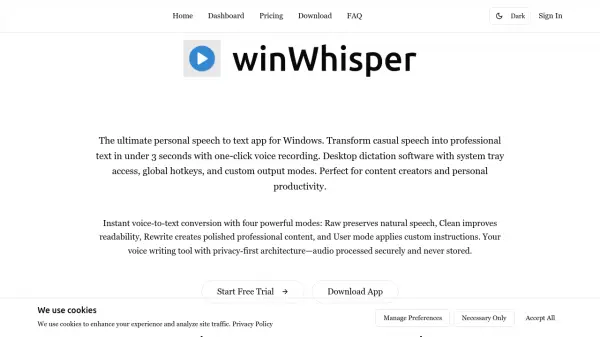
WinWhisper is a modern Windows desktop application designed for instant voice-to-text conversion with advanced AI processing. It transforms casual speech into professional-quality text in under three seconds through one-click voice recording functionality. The tool integrates seamlessly with Windows systems, offering system tray access and global hotkeys for efficient workflow integration.
This speech recognition solution employs cutting-edge AI models to deliver exceptional accuracy and quality transcriptions. It supports over 70 languages worldwide and can function as a translation tool by transcribing in one language and outputting in another. The application maintains a privacy-first architecture where audio and text data are processed securely without storage on servers, with only minimal metadata retained for account management.
Features
- Instant Conversion: Transforms speech to text in under 3 seconds with one-click recording
- Multiple Output Modes: Offers Raw, Clean, Rewrite, and User modes for customized text results
- Privacy-First Architecture: Audio and text data processed securely without server storage
- 70+ Language Support: Full transcription capability across numerous global languages
- Windows Integration: Desktop application with system tray access and global hotkeys
- Pay-As-You-Go Pricing: Transparent credit-based system without subscriptions or hidden fees
Use Cases
- Content creation through voice dictation
- Professional transcription for business meetings
- Personal productivity enhancement
- Language translation through speech conversion
- Academic research transcription
- Accessibility support for voice-to-text needs
FAQs
-
What languages does winWhisper support?
WinWhisper supports over 70 languages worldwide for transcription and can function as a translation tool by transcribing in one language and outputting in another. -
How does winWhisper handle privacy and data security?
WinWhisper maintains a privacy-first architecture where audio and text data are processed securely without storage on servers, with only minimal metadata retained for account management. -
What output modes are available in winWhisper?
WinWhisper offers four output modes: Raw preserves natural speech, Clean improves readability, Rewrite creates polished professional content, and User mode applies custom instructions. -
Is there a free trial available for winWhisper?
Yes, new users receive 10 free minutes of transcription (approximately 12 credits) without requiring a credit card or subscription.