What is WinUSB?
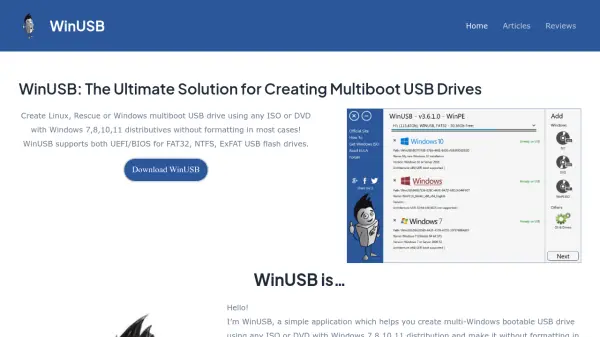
WinUSB provides a streamlined solution for creating multiboot USB drives from various ISO or DVD files. It supports Windows distributions such as Windows 7, 8, 10, and 11, along with Linux and rescue programs, allowing users to combine multiple operating systems on a single USB drive.
The application features an intuitive three-step process that includes selecting the USB drive, choosing distributions, and optionally formatting the drive. It works with FAT32, NTFS, and ExFAT file systems and is compatible with both UEFI and BIOS systems, ensuring broad hardware support.
Features
- Multiboot USB Creation: Supports multiple Windows, Linux, and rescue distributions on a single USB drive
- Format-Free Operation: Does not require formatting the USB drive if sufficient free space is available
- UEFI/BIOS Compatibility: Works with both UEFI and BIOS systems for broad hardware support
- File System Support: Compatible with FAT32, NTFS, and ExFAT USB flash drives
- Boot Manager: Allows browsing and removing distributions from already created multiboot USB drives
- Driver Integration: Includes DriverPack Network for installing WiFi and LAN drivers post-Windows installation
Use Cases
- Creating a Windows installation USB drive for multiple Windows versions
- Building a multiboot USB with both Windows and Linux distributions for dual-boot setups
- Making a rescue USB drive with diagnostic and recovery tools
- Preparing a USB drive with network drivers for post-installation setup
- Creating a portable bootable drive for system administrators or IT professionals