What is WebGazer.js?
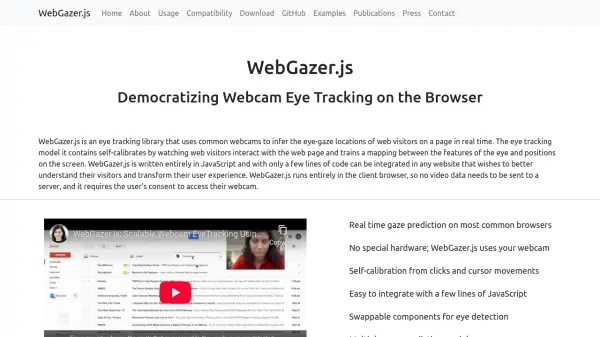
WebGazer.js is an innovative eye tracking library designed to infer the eye-gaze locations of website visitors in real time using standard webcams. It operates entirely within the user's browser, ensuring privacy as no video data is transmitted to external servers. The system requires user consent for webcam access and employs a self-calibration mechanism; it learns by observing user interactions, such as clicks and cursor movements, to build a mapping between eye features and screen positions.
Built entirely with JavaScript, WebGazer.js offers straightforward integration into any website with just a few lines of code. It supports most common web browsers and features swappable components for both eye detection (like MediaPipe Facemesh) and gaze prediction models (including ridge, weightedRidge, and threadedRidge). As an open-source project with over six years of continuous support, it provides developers with flexibility and control, including options to pause/resume tracking and save calibration data across sessions.
Features
- Real-time Gaze Prediction: Infers eye-gaze locations live on the webpage.
- Webcam-Based Tracking: Utilizes standard webcams, eliminating the need for specialized hardware.
- Client-Side Operation: Processes data directly in the user's browser, enhancing privacy.
- Self-Calibration: Automatically calibrates by observing user clicks and cursor movements.
- Easy JavaScript Integration: Simple setup with minimal code required.
- Modular Design: Supports swappable modules for eye detection and gaze regression models.
- Cross-Browser Compatibility: Functions on major browsers like Chrome, Firefox, Edge, Safari, and Opera.
- Data Persistence Option: Can save and load training data across browser sessions.
- Open Source: Freely available on GitHub with ongoing community support.
Use Cases
- Analyzing user attention patterns on websites.
- Improving website usability based on gaze data.
- Conducting remote user experience (UX) research.
- Developing gaze-interactive web applications or games.
- Enhancing accessibility features for web navigation.
- Understanding user engagement with specific web elements.
FAQs
-
How does WebGazer.js calibrate itself?
It self-calibrates by watching web visitors interact with the web page (clicks and cursor movements) and trains a mapping between the features of the eye and positions on the screen. -
Does WebGazer.js send my video data to a server?
No, WebGazer.js runs entirely in the client browser, so no video data needs to be sent to a server. -
What browsers are compatible with WebGazer.js?
WebGazer.js is compatible with browsers supporting the getUserMedia/Stream API and IndexedDB, including Google Chrome, Microsoft Edge, Mozilla Firefox, Opera, and Safari. -
Can WebGazer.js save calibration data between sessions?
Yes, it can save and restore training data between browser sessions automatically using the browser's local storage (IndexedDB via localforage). -
What technology does WebGazer.js use for eye detection?
By default, it uses MediaPipe Facemesh (referred to as TFFacemesh), but it allows developers to set or add different tracker modules.