What is WallMotion?
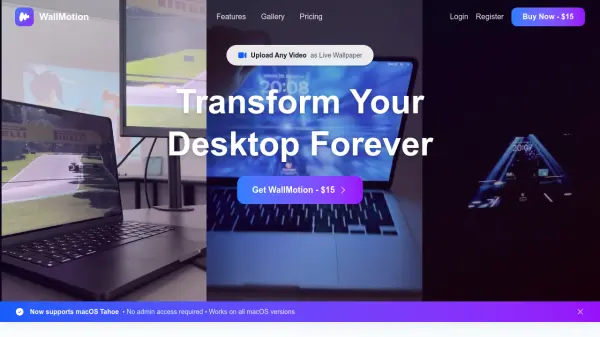
WallMotion is a specialized macOS application designed to transform videos into live wallpapers for desktop customization. It supports various video formats including MP4, MOV, AVI, and WebM, with quality optimization up to 8K resolution. The tool offers direct YouTube import functionality, allowing users to paste URLs for instant conversion without downloading videos.
The application features smart wallpaper replacement technology that automatically detects and replaces existing wallpapers with one-click simplicity. It ensures wallpapers persist across system restarts and macOS updates through advanced AutoSaver technology. WallMotion provides a clean, intuitive interface with drag-and-drop functionality, native macOS integration, and sandboxed security for a seamless user experience.
Features
- YouTube Import: Paste any YouTube URL to instantly convert videos into live wallpapers without downloading
- Auto-Restore After Restarts: Advanced AutoSaver technology preserves wallpapers across system restarts and macOS updates
- Multi-Monitor Support: Allows different wallpapers on each screen for multi-monitor setups
- 8K Support: Optimizes videos for perfect wallpaper quality while maintaining smooth performance
- Drag & Drop Interface: Simple drag-and-drop functionality for uploading video files in popular formats
Use Cases
- Creating custom live wallpapers from personal video collections
- Converting YouTube videos into desktop backgrounds without downloading
- Setting up different wallpapers on multiple monitors
- Maintaining wallpaper persistence after macOS system updates
- Optimizing high-resolution videos for smooth wallpaper performance
FAQs
-
What are the system requirements for WallMotion?
WallMotion requires macOS 14.X or 15.X, Apple Silicon (M1, M2, M3), minimum 4GB RAM, and 100MB free disk space. Intel Macs are not supported. -
Will live wallpapers drain my battery or slow down my Mac?
WallMotion optimizes videos for smooth performance while maintaining wallpaper quality, designed to minimize battery drain and system slowdown. -
What video formats does WallMotion support?
WallMotion supports MP4, MOV, AVI, WebM and other common video formats for conversion into live wallpapers. -
Can I get a refund if WallMotion doesn't work for me?
Yes, WallMotion offers a 30-day money-back guarantee with no questions asked if the application doesn't work for you. -
How do I get help if I encounter any issues?
Support is available 24/7 through live chat or email for instant assistance with any issues encountered.