What is VR Sketch?
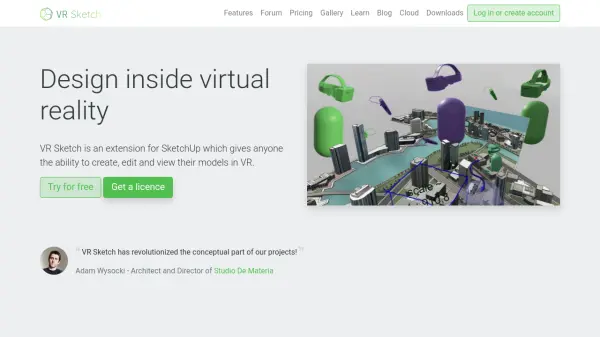
VR Sketch is a virtual reality extension for SketchUp that transforms the design workflow by allowing users to work directly within immersive VR environments. This tool enables architects, designers, and educators to create, edit, and visualize 3D models at life-size scale using intuitive hand-based controls.
The extension integrates seamlessly with existing SketchUp workflows, eliminating the need for importing or exporting files. It supports real-time synchronization between VR and SketchUp, allowing instant updates in both directions. VR Sketch facilitates collaborative design with multi-user functionality and includes presentation tools for effectively communicating spatial concepts to clients and stakeholders.
Features
- Draw in VR: Create models using intuitive hand-based drawing and manipulation tools
- Real-time-sync: Update VR from SketchUp and SketchUp from inside VR instantly
- Multi-user: Enable multiple people to work in the same file simultaneously
- Integrated: Fits into existing SketchUp workflows without importing or exporting
- Present in VR: Show designs to others with built-in navigation helper tools
- Compatible: Works with Oculus Rift, HTC Vive, Valve Index, Quest 2/3/Pro, Pico Neo 3
Use Cases
- Architectural design visualization in virtual reality
- Collaborative 3D modeling sessions with multiple designers
- Client presentations of architectural projects in immersive environments
- Educational demonstrations of spatial design concepts
- Rapid prototyping of interior design layouts
- Life-size mockup creation for product design