

What is VoNo?
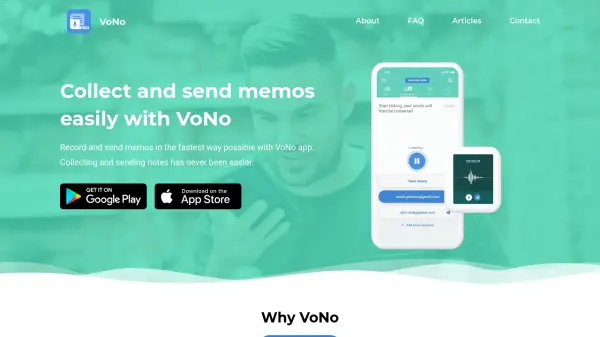
VoNo is a mobile application designed for fast and efficient memo collection and sending. It allows users to create voice memos, voice-to-text notes, text memos, and photo memos, all of which can be instantly emailed to oneself or others. The app features speech recognition supporting over 50 languages, enabling hands-free note-taking while driving or on the go. VoNo also offers offline memo storage, reminders synced with the native calendar, and integration with productivity tools like Evernote, Trello, and Todoist.
Privacy is a priority: memos are encrypted and not shared with third parties. Users can customize email layouts and choose how to receive memos, such as attachments or web-player links. VoNo is available on smartphones and smartwatches, making it a versatile tool for rapid information management.
Features
- Voice-to-Text Memo: Convert speech to text using speech recognition in over 50 languages.
- Voice Memo: Record audio messages and send as attachments or web-player links.
- Text Memo: Type and send text notes with a single tap, with optional calendar reminders.
- Photo Memo: Take a picture and send it as an attachment, email body, or web viewer link.
- Mail to Self and Others: Send memos to pre-selected email addresses with one tap.
- Offline Saving: Save memos locally in the app for later access.
- Reminders: Create reminders and sync them to the native calendar.
- Privacy: Encrypted memos with no sharing to third parties.
- GTD Integration: Works with Evernote, Trello, Todoist, Dropbox, Things, Microsoft To Do.
- Customizable Email Layout: Change subject line for voice-to-text and text memos.
Use Cases
- Quickly record and email notes while driving
- Distribute tasks to colleagues with voice memos
- Capture ideas on the go and send to yourself
- Take photo memos of documents and email them
- Create reminders and sync to calendar
- Use as a GTD tool integrated with Todoist or Trello
FAQs
-
Can I customize my memo email layout?
It is currently possible to change the subject of your emails for your (Voice-to-)Text memos. You can do this by going to your settings and enabling 'Subject line preview for Voice-to-Text & Text memos'. The VoNo team is working on expanding these features in the future. -
Does VoNo work while minimized?
Minimizing VoNo and keeping it active on the background while using other apps is possible, but it only works when you’re recording a Voice Memo. This is a standard feature for all our users. -
Can I change the way I receive my Voice Memos?
It is possible to choose how you want to receive your Voice memo in the settings. The default option is receiving both the link to the web player and the attachment. Please note that Voice Memo attachments will be split at every 10-minute mark. -
What can I use VoNo for?
VoNo allows you to simply send memos to yourself and others with your smartphone or smartwatch in a quick and user-friendly fashion. Send a text memo, voice memo, photo memo, or even record a voice-to-text memo using speech recognition to any pre-selected email address. -
Is VoNo free to use?
VoNo offers a free version with basic features. There is also a paid plan with additional features. Check the app store for current pricing details.