VividCharts favicon

VividCharts
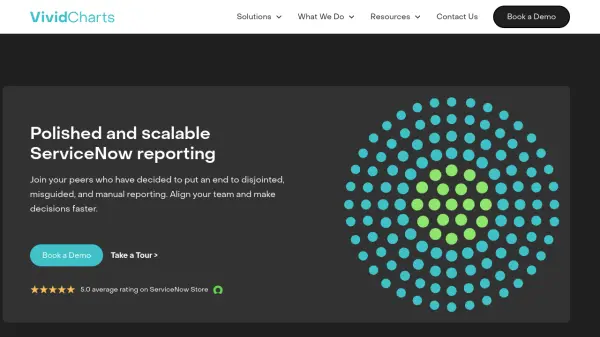
Polished and scalable ServiceNow reporting

What is VividCharts?

VividCharts is a specialized reporting platform designed to transform ServiceNow data into polished, automated reports and presentations. Installed directly within ServiceNow instances, it connects directly to organizational data to create report and presentation templates that eliminate manual work. The platform features a slide deck-like editor, filterable slide decks, advanced data-mapping capabilities, and true-to-form PowerPoint export functionality.

The technology enables organizations to standardize ServiceNow project reporting, streamline incident KPI reviews, automate management business reviews, and ensure program alignment. With certified products available on the ServiceNow Store and a team of certified developers, VividCharts serves as a trusted partner for enterprises seeking to maximize their ServiceNow environment's potential through automated reporting solutions.

Features

  • ServiceNow Integration: Installed directly in ServiceNow instances and tied directly to organizational data
  • Template Creation: Create report and presentation templates to eliminate manual reporting work
  • Presentation Editor: Slide deck-like editor with filterable slide decks and true-to-form PPT export
  • Data Mapping: Advanced data-mapping capabilities for customized reporting
  • Automated Reporting: Automates generation of reports and slide decks to save manual hours

Use Cases

  • Standardizing ServiceNow project reporting and status updates
  • Streamlining incident KPI reviews from ServiceNow data
  • Automating management business reviews and quarterly business reviews
  • Ensuring program alignment across multiple projects
  • Creating branded, visually pleasing reports from ServiceNow data

Related Tools:

Blogs:

  • Top 6 AI note-taking tools for 2026: in-person, online, and hybrid use cases

    Top 6 AI note-taking tools for 2026: in-person, online, and hybrid use cases

    Most AI note-taking lists are really lists of meeting bots, which join your video call and transcribe it. That's useful, but it's half the picture. Decisions happen in hallway conversations, client dinners, on-site visits, and hybrid rooms where nobody is on a video link. This guide covers different parts of the note-taking workflow: hardware capture for in-person settings, platform-native tools for online calls, and AI layers for organizing and synthesizing what you've captured. It compares six tools by capture context, workflow fit, pricing, and limitations.

  • Top AI tools for Teachers

    Top AI tools for Teachers

    Explore the top AI tools designed for teachers, revolutionizing the education landscape. These innovative tools leverage artificial intelligence to enhance teaching efficiency, personalize learning experiences, automate administrative tasks, and provide valuable insights, empowering educators to create engaging and effective educational environments.

  • Best Content Automation AI tools

    Best Content Automation AI tools

    Streamline your content creation process, enhance productivity, and elevate the quality of your output effortlessly. Harness the power of cutting-edge automation technology for unparalleled results

  • AI thumbnail maker tools

    AI thumbnail maker tools

    Automatically generate visually appealing and optimized thumbnails for various digital content, streamlining the design process and enhancing visual engagement

Didn't find tool you were looking for?

Be as detailed as possible for better results