What is Vim Bootstrap?
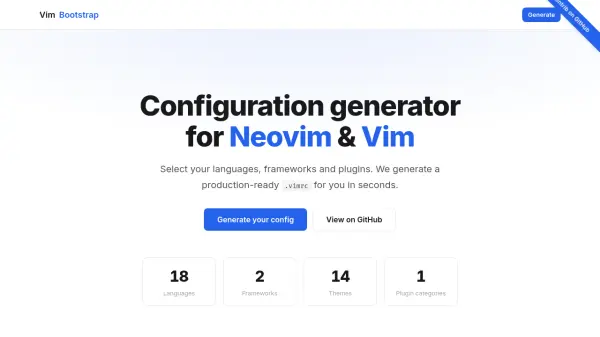
Vim Bootstrap provides a visual generator that allows developers to select their preferred programming languages, frameworks, and color themes through an intuitive interface. The tool automatically configures essential plugins, linters, and LSP integrations with sensible defaults, eliminating the need for manual configuration file editing.
Users can customize their setup further by adding optional plugins from curated categories before generating their configuration. The generated .vimrc file is fully editable and can be exported to dotfiles repositories, enabling developers to evolve their editor setup over time without vendor lock-in.
Features
- Visual Generator: Pick languages, frameworks and themes with visual cards instead of editing config files by hand
- Best Practices Built In: Linters, LSP integrations and essential plugins are preconfigured with sensible defaults
- No Lock-in: Everything is editable and can be exported to dotfiles repositories for evolution over time
Use Cases
- Setting up a new development environment quickly
- Standardizing editor configurations across teams
- Learning Vim/Neovim with a solid starting configuration
- Experimenting with different plugin combinations
FAQs
-
Why use a configuration generator?
It allows you to focus on one thing at a time, accelerating learning by starting with a solid configuration that you can evolve as you grow. -
Is it maintained?
Yes, it's created and maintained by a community that uses Neovim/Vim daily, and is open-source, transparent, and always improving. -
Is Vim configuration complex?
Not with a good reference. Vim Bootstrap provides a great starting point so you don't have to figure everything out from scratch. -
Can I contribute?
Absolutely. You can report issues, propose improvements, and help shape the future of the project.