What is vet?
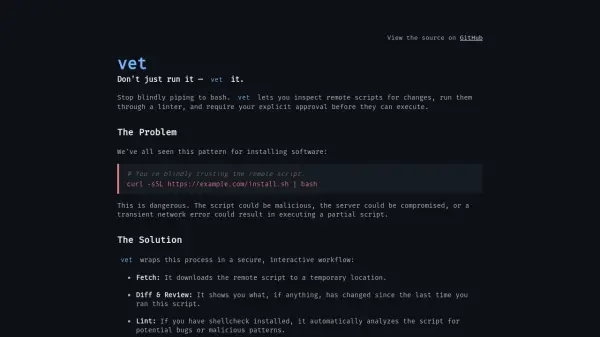
vet provides a secure, interactive workflow for executing remote scripts by wrapping the process in multiple safety checks. It downloads the remote script to a temporary location, shows differences since the last run, and automatically analyzes it for potential bugs or malicious patterns if shellcheck is installed. The tool prompts for explicit approval before any execution, mitigating risks from malicious scripts, server compromises, or network errors.
This solution addresses the dangerous pattern of blindly piping scripts to bash, offering a safer alternative that enhances security and control. By automating the "Download, then Review" process, vet ensures users can inspect and verify scripts before running them, reducing vulnerabilities in software installation and script execution.
Features
- Fetch: Downloads remote scripts to a temporary location for inspection
- Diff & Review: Shows changes since the last time the script was run
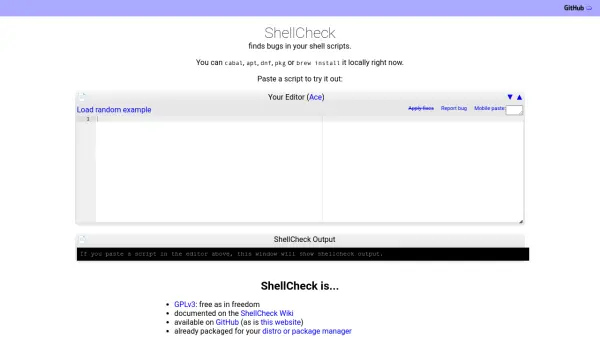
- Lint: Automatically analyzes scripts for potential bugs or malicious patterns if shellcheck is installed
- Confirm: Prompts for explicit approval before executing any script
Use Cases
- Safely installing software from remote scripts
- Inspecting and verifying script changes before execution
- Analyzing scripts for security vulnerabilities
- Preventing malicious script execution in development workflows
FAQs
-
How does vet improve security compared to traditional script execution?
vet improves security by downloading scripts for inspection, showing changes, analyzing for issues, and requiring user approval before execution, unlike blindly piping to bash which trusts remote content without verification. -
What is the recommended installation method for vet?
The recommended installation method is via Homebrew on macOS/Linux by tapping the official repository and installing the formula. -
Can vet be installed manually without using Homebrew?
Yes, vet can be installed manually by downloading the installer from the official project domain or GitHub, reviewing its code, and then running it, which mimics the automated process vet provides.