What is Vee-Hive?
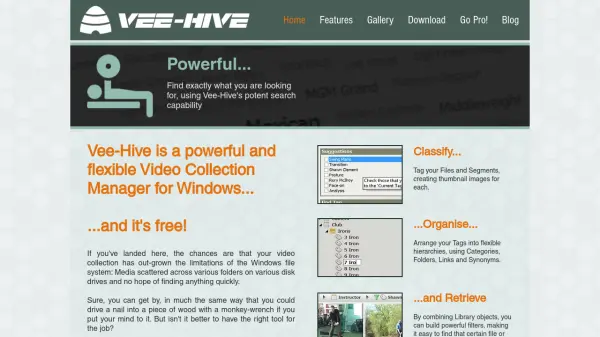
Vee-Hive is a versatile video collection manager designed for Windows users with large and diverse video libraries. It provides robust tools to classify, tag, and visually catalogue files and individual segments, making it easier to manage vast archives distributed across multiple folders and drives. Users can leverage its advanced search features to locate specific files or scenes quickly by organizing metadata, thumbnails, and hierarchical tags.
With flexible tagging systems, hierarchical organization via categories and folders, as well as the ability to link files and define synonyms, Vee-Hive simplifies content retrieval and improves the overall management of multimedia assets. The solution is available for free, making it accessible for videophiles and content organizers seeking professional-level cataloguing without the associated cost.
Features
- Advanced Search: Potent search functionality to quickly locate specific files or scenes
- Tagging: Ability to tag entire files and specific video segments
- Thumbnail Generation: Automatic creation of thumbnail images for files and segments
- Hierarchical Organization: Arrange tags within flexible categories, folders, links, and synonyms
- Powerful Filtering: Build complex filters by combining library objects to ease retrieval
Use Cases
- Organizing extensive personal or professional video collections
- Cataloguing multimedia assets for content creators
- Quickly searching for specific video files or fragments across multiple drives
- Classifying and tagging large libraries for educational or archival purposes
- Creating a structured hierarchy of video assets in media production environments