VectorDB
Lightweight Python package for vector search and storage.

What is VectorDB?

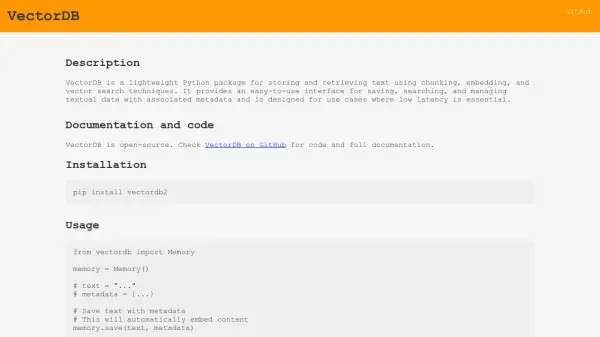
VectorDB offers a streamlined approach to managing and querying textual data through vector embeddings. It is designed as a lightweight Python package focused on low-latency operations, essential for responsive applications. The tool leverages chunking, embedding, and vector search techniques to facilitate efficient information retrieval.

Users can easily save text along with associated metadata. The package automatically handles the embedding process and selects the fastest available vector search backend for queries. This allows developers to quickly integrate semantic search capabilities into their projects without needing deep expertise in vector databases or embedding models. It's particularly useful when dealing with large datasets where traditional text search methods are inefficient.

Features

  • Text Storage with Metadata: Save textual data along with associated metadata.
  • Automatic Embedding: Automatically embeds content during the saving process.
  • Vector Search: Retrieve the top N relevant text chunks based on a query.
  • Optimized Backend Selection: Automatically uses the fastest available vector search backend.
  • Configurable Chunking: Supports different chunking strategies (e.g., sliding window).
  • Low Latency Design: Optimized for use cases requiring fast response times.

Use Cases

  • Implementing semantic search in applications.
  • Building retrieval-augmented generation (RAG) systems.
  • Quickly searching large text datasets for relevant information.
  • Managing and querying textual data with associated context (metadata).
  • Developing applications requiring low-latency text retrieval.

Related Tools:

Blogs:

  • Top 6 AI note-taking tools for 2026: in-person, online, and hybrid use cases

    Top 6 AI note-taking tools for 2026: in-person, online, and hybrid use cases

    Most AI note-taking lists are really lists of meeting bots, which join your video call and transcribe it. That's useful, but it's half the picture. Decisions happen in hallway conversations, client dinners, on-site visits, and hybrid rooms where nobody is on a video link. This guide covers different parts of the note-taking workflow: hardware capture for in-person settings, platform-native tools for online calls, and AI layers for organizing and synthesizing what you've captured. It compares six tools by capture context, workflow fit, pricing, and limitations.

  • AI thumbnail maker tools

    AI thumbnail maker tools

    Automatically generate visually appealing and optimized thumbnails for various digital content, streamlining the design process and enhancing visual engagement

  • Best Content Automation AI tools

    Best Content Automation AI tools

    Streamline your content creation process, enhance productivity, and elevate the quality of your output effortlessly. Harness the power of cutting-edge automation technology for unparalleled results

  • AI tools for video voice overs

    AI tools for video voice overs

    Discover the next level of video production with AI-powered voiceover tools. Enhance your content effortlessly, ensuring professional-quality narration for your videos.

Didn't find tool you were looking for?

Be as detailed as possible for better results