Vanguard Support for Microsoft favicon

Vanguard Support for Microsoft
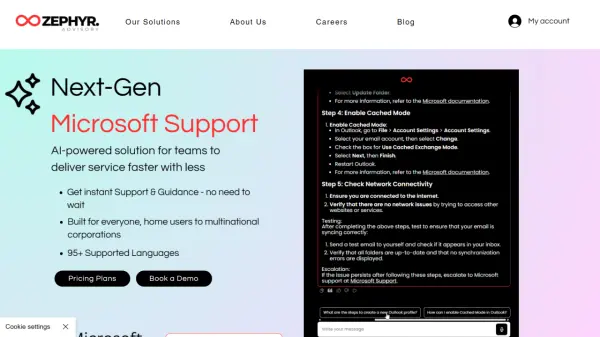
AI-powered solution for teams to deliver service faster with less

What is Vanguard Support for Microsoft?

Vanguard Support for Microsoft delivers enterprise-grade AI assistance for Microsoft product ecosystems, featuring 95+ language support and seamless integration with cloud environments. Its AI assistant Neo provides instant troubleshooting, Azure configuration guidance, and direct access to Microsoft documentation while maintaining GDPR compliance and data privacy standards.

The platform reduces IT management complexity through automated issue resolution workflows and skill-building resources. It scales from individual users to multinational corporations, offering real-time solutions for Microsoft 365, Windows environments, and cloud infrastructure challenges.

Features

  • Multilingual Support: 95+ language capabilities for global team accessibility
  • 24/7 Accessibility: Round-the-clock technical assistance with instant response times
  • Cloud Integration: Deployable on company cloud environments with GDPR compliance
  • Skill Development: Curated training resources and Microsoft certification pathways
  • Scalable Architecture: Adaptable solutions from SMB to enterprise-level operations

Use Cases

  • Enterprise-level Microsoft product troubleshooting
  • Automated IT asset management and compliance auditing
  • Staff training on Microsoft cloud infrastructure
  • Multi-language technical support coordination

FAQs

  • Does Vanguard Support integrate with existing Microsoft cloud environments?
    Yes, the platform deploys seamlessly across Azure and other Microsoft cloud infrastructures while maintaining data governance protocols.
  • How does the system handle complex Microsoft licensing scenarios?
    The AI analyzes contract terms and usage patterns to provide optimization recommendations through its strategic guidance module.

Helpful for people in the following professions

Related Tools:

Blogs:

  • Top 6 AI note-taking tools for 2026: in-person, online, and hybrid use cases

    Top 6 AI note-taking tools for 2026: in-person, online, and hybrid use cases

    Most AI note-taking lists are really lists of meeting bots, which join your video call and transcribe it. That's useful, but it's half the picture. Decisions happen in hallway conversations, client dinners, on-site visits, and hybrid rooms where nobody is on a video link. This guide covers different parts of the note-taking workflow: hardware capture for in-person settings, platform-native tools for online calls, and AI layers for organizing and synthesizing what you've captured. It compares six tools by capture context, workflow fit, pricing, and limitations.

  • Best AI tools for trip planning

    Best AI tools for trip planning

    These tools analyze user preferences, budget constraints, and destination details to provide personalized itineraries, suggest optimal routes, recommend accommodations, and even offer real-time updates on weather and local events.

  • Best AI tools for Product Photography

    Best AI tools for Product Photography

    Explore top AI tools that can elevate your product photography, helping you enhance images, streamline workflows, and create professional visuals with ease.

  • Best AI Tools For Startups

    Best AI Tools For Startups

    we've compiled a straightforward list of user-friendly AI tools designed to give startups a boost. Discover practical solutions to streamline everyday tasks, enhance productivity, and gain valuable insights without the need for a tech expert. Learn where and how these tools can be applied in your startup journey, from automating repetitive tasks to unlocking powerful data analysis. Join us as we explore the features that make these AI tools accessible and beneficial for startups in various industries. Elevate your business with technology that works for you!

Didn't find tool you were looking for?

Be as detailed as possible for better results