What is Unitextify?
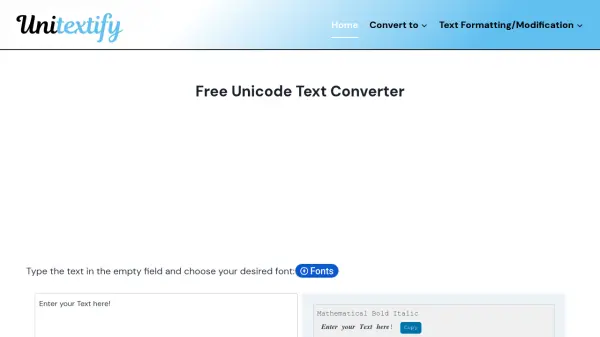
Unitextify is a free online Unicode text converter that transforms plain text into a wide variety of stylish fonts and symbols. With over 30 different font styles, users can quickly generate bold, italic, cursive, bubble, vaporwave, and many other text formats. The tool supports multiple languages and includes features like live preview, copy-and-paste functionality, and offline access via a Progressive Web App (PWA).
Beyond text conversion, Unitextify provides additional utilities such as a whitespace remover, sentence case converter, and file conversion for PDFs and images. It is designed for ease of use, requiring no installation or credit card. The tool ensures compatibility across platforms, making it ideal for social media enhancement, creative projects, and technical applications.
Features
- Instant Unicode Conversion: Quickly transform plain text into stylish Unicode characters with a single click.
- Multiple Font Styles: Choose from over 30 font styles including bold, italic, script, and decorative.
- Copy & Paste Support: Easily copy converted text and paste it anywhere.
- Multi-Language Compatibility: Supports Latin, Cyrillic, Greek, and more.
- No Installation Required: Fully web-based, accessible from any browser.
- Offline Access via PWA: Install the app to use offline.
- File Conversion: Convert PDF and image files to Unicode text.
- Text Formatting Tools: Includes whitespace remover, sentence case converter, and more.
Use Cases
- Enhancing social media posts on Instagram, Facebook, and LinkedIn with unique fonts.
- Creating stylish usernames and chat messages on Discord and other gaming platforms.
- Adding decorative text to digital content, branding, and creative writing.
- Converting PDFs or scanned documents into Unicode text for editing.
- Programming and web development where Unicode characters are needed.
- Designing aesthetic bios and captions for influencer marketing.
FAQs
-
What is a Text Unicode Converter used for?
A Text Unicode Converter transforms standard text into Unicode characters for stylish fonts, programming, and digital communication. -
How does the Unicode text conversion process work?
The app uses algorithms to replace normal characters with their Unicode counterparts, providing various stylish formats. -
Where can I use the converted Unicode text?
The stylized text can be used across social media, messaging apps, discussion forums, and websites. -
Is Unicode text supported on all devices and platforms?
Unicode is a universal encoding system ensuring compatibility across most platforms, though some devices may not support certain characters. -
Can I convert Unicode text back to normal text?
Yes, you can use a Unicode to Text Converter Online to decode Unicode characters into plain text.