Unicode Converters favicon

Unicode Converters
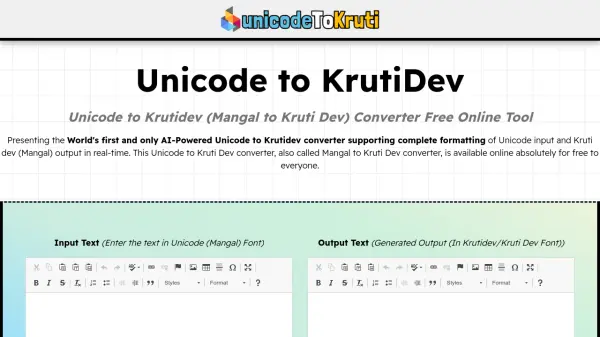
Convert Unicode Urdu to Inpage format instantly with our free online tool

What is Unicode Converters?

Unicode Converters offers a specialized online solution for converting Unicode Urdu text to Inpage format, addressing compatibility issues faced by designers, publishers, and media professionals. The tool facilitates seamless text conversion for use in software like Corel Draw, Adobe Photoshop, and Adobe XD, where Unicode formats are not supported.

This web-based utility operates without requiring software downloads, registration, or payment, providing unlimited conversions with a focus on data security and privacy. The platform ensures accurate character mapping and high-quality output, making it essential for Urdu news websites, design projects, and publishing workflows that rely on Nastaʻliq script compatibility.

Features

  • Quick Conversion: Processes Unicode to Inpage conversion instantly
  • Free Of Cost: No charges for using the conversion tool
  • No Registration Required: Users can access the tool without signing up
  • Mobile Friendly: Compatible with all devices and browsers
  • Unlimited Conversion: No restrictions on the number of conversions
  • Data Security: User data is not stored in the database
  • No Download Required: Web-based tool without software installation
  • High-Quality Output: Ensures accurate character conversion without corruption

Use Cases

  • Converting Unicode Urdu text to Inpage for design software compatibility
  • Processing news articles from Unicode to Inpage for Urdu website publishing
  • Preparing Urdu text for print media using Nastaʻliq script
  • Enabling Urdu text compatibility in Adobe Creative Suite applications
  • Facilitating Urdu content creation for social media and digital platforms

Related Tools:

Blogs:

  • Top 6 AI note-taking tools for 2026: in-person, online, and hybrid use cases

    Top 6 AI note-taking tools for 2026: in-person, online, and hybrid use cases

    Most AI note-taking lists are really lists of meeting bots, which join your video call and transcribe it. That's useful, but it's half the picture. Decisions happen in hallway conversations, client dinners, on-site visits, and hybrid rooms where nobody is on a video link. This guide covers different parts of the note-taking workflow: hardware capture for in-person settings, platform-native tools for online calls, and AI layers for organizing and synthesizing what you've captured. It compares six tools by capture context, workflow fit, pricing, and limitations.

  • Best ai tools for Twitter Growth

    Best ai tools for Twitter Growth

    The best AI tools for Twitter's growth are designed to enhance user engagement, increase followers, and optimize content strategy on the platform. These tools utilize artificial intelligence algorithms to analyze Twitter trends, identify relevant hashtags, suggest optimal posting times, and even curate personalized content.

  • Top AI tools for Teachers

    Top AI tools for Teachers

    Explore the top AI tools designed for teachers, revolutionizing the education landscape. These innovative tools leverage artificial intelligence to enhance teaching efficiency, personalize learning experiences, automate administrative tasks, and provide valuable insights, empowering educators to create engaging and effective educational environments.

Didn't find tool you were looking for?

Be as detailed as possible for better results