What is TurboStyle?
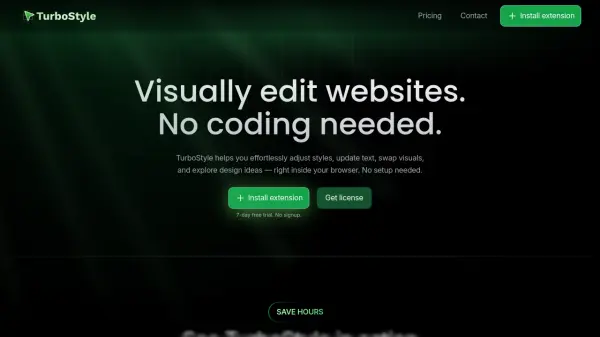
TurboStyle is a browser extension designed for Chrome and other Chromium-based browsers that provides a visual interface for editing webpages in real-time. It allows users to make style adjustments, update text content, swap images and videos, and explore design ideas without any coding knowledge or setup requirements. The tool operates directly within the browser, eliminating the need for manual CSS tweaks, page refreshes, or switching between different development tools.
With features like instant style presets, responsive preview modes, before/after comparisons, and clean CSS export, TurboStyle streamlines the design and prototyping process. It is particularly useful for designers, developers, and product teams looking to accelerate their workflow by visually customizing live websites, landing pages, and other web content efficiently.
Features
- Edit Text and Media on Click: Change text, swap images, and replace videos in seconds with simple clicks
- Instant Style Presets: Create custom presets or choose from curated colors, backgrounds, shadows, and animations
- Responsive Preview Made Easy: Switch between mobile, tablet, desktop, or custom screen sizes to preview changes
- Before / After Comparison: Instantly compare edits with the original page for precise design control
- Export Clean CSS: Grab all changes in clean, ready-to-use CSS with one click
- Smart Positioning: The panel follows users for focused adjustments without losing context
Use Cases
- Prototyping website designs in real-time
- Customizing live webpages without coding
- Testing responsive designs across different screen sizes
- Quickly editing text and media on existing websites
- Exporting CSS styles from visual edits for development
- Comparing design changes with original layouts
FAQs
-
Which browsers support TurboStyle?
TurboStyle is primarily a Chrome extension and also supports other Chromium-based browsers like Opera, Brave, Arc, and Edge. -
How many devices can I use TurboStyle on with one license?
One license covers up to 3 devices. For more devices, users need to reach out for additional arrangements. -
What is the refund policy for TurboStyle?
Users can request a refund within 7 days of purchasing a license for any reason.