What is ToDesktop?
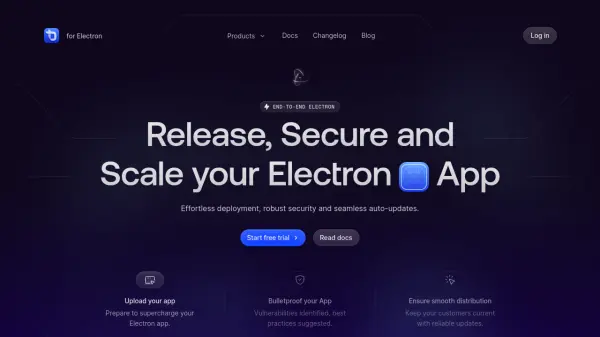
ToDesktop provides a comprehensive platform for Electron app developers to streamline the release, security, and scaling of their applications. It handles the entire infrastructure, including code signing, automated updates, and cross-platform builds for Windows, Mac, and Linux. With features like vulnerability analysis, smoke testing, and distribution analytics, ToDesktop enables developers to focus on their application while ensuring reliable deployment and user satisfaction.
The platform offers seamless auto-updates, intelligent download links, and performance benchmarking to keep applications current and optimized. ToDesktop supports CI/CD integration, team collaboration, and secure certificate management, making it suitable for both individual developers and enterprise teams. A 7-day free trial is available for all plans.
Features
- Automated Build Servers: Build Electron apps for Windows, Mac, and Linux with one click.
- Code Signing: Simplified certificate purchase, storage on FIPS 140-2 Level 3 HSM, and expiry notifications.
- Auto-Updates: Seamless updates with intelligent download links and CDN hosting on your domain.
- Smoke Testing: Automated tests to catch launch and update issues before users do.
- Static Code Analysis: Identifies vulnerabilities and suggests best practices.
- Download Analytics: Track downloads across platforms to understand user distribution.
- Performance Benchmarking: Measure launch time, memory, and CPU usage across versions.
- Staging and Dev Apps: Separate channels for testing new releases before rolling out to all users.
- App Store Support: Build installers for Microsoft Store and Mac App Store.
- Native Module Rebuilding: Automatically rebuilds native modules for each platform.
Use Cases
- Deploying Electron apps to multiple platforms without manual build configuration.
- Ensuring app security through automated vulnerability scanning and code signing.
- Rolling out updates gradually with staged releases and smoke testing.
- Analyzing app performance and download metrics to inform development decisions.
- Collaborating on Electron app builds within a team.
FAQs
-
What is the difference between ToDesktop for Electron and ToDesktop Builder?
ToDesktop for Electron is for developers who want to deploy, secure, and update their Electron app, while ToDesktop Builder is for developers who want to create a desktop app from a web app without writing Electron code. -
Can I try ToDesktop without buying?
Yes, we offer a 7-day free trial for all our plans. If you're not satisfied, cancel before the trial ends and you won't be charged. -
Do you support staging and dev versions of my app?
Yes, we support staging and dev versions of your app in the Performance plan and above. You can create a new version and select the 'Staging' or 'Development' channel. -
Can I migrate away from ToDesktop if it doesn't meet my needs?
Yes, we never want you to be stuck. If you're not satisfied, reach out and we'll help you migrate away to a different service for free. -
Do you collect or store data about my customers?
We host your updates and downloads, so we collect IP addresses for logging and security purposes when a user downloads your app. We don't collect any other data about your customers or their usage.