tiny favicon

tiny
Your Partner in Creative AI Idea Generation

What is tiny?

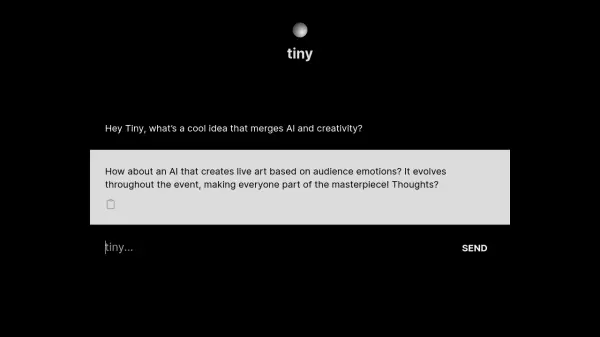
tiny operates as an interactive AI assistant focused on brainstorming and conceptualizing ideas where artificial intelligence and creativity intersect. Users can engage in conversations with tiny to explore innovative concepts, such as generating ideas for AI-driven art installations that react to live events.

The platform encourages users to initiate the AI creation process by prompting them with phrases like 'I want to create an AI named...'. This suggests a pathway towards developing personalized AI applications, positioning tiny as a facilitator for users looking to become involved in AI creation, starting from the ideation phase.

Features

  • AI Idea Generation: Brainstorms creative concepts merging AI and creativity.
  • Interactive Dialogue Interface: Engages users in conversation to explore AI ideas.
  • AI Creation Guidance: Prompts users to begin conceptualizing their own AI.

Use Cases

  • Brainstorming AI project ideas.
  • Exploring AI applications in creative fields.
  • Getting started with personalized AI concepts.
  • Generating ideas for interactive AI installations.

Related Tools:

Blogs:

  • Best Content Automation AI tools

    Best Content Automation AI tools

    Streamline your content creation process, enhance productivity, and elevate the quality of your output effortlessly. Harness the power of cutting-edge automation technology for unparalleled results

  • Top 6 AI note-taking tools for 2026: in-person, online, and hybrid use cases

    Top 6 AI note-taking tools for 2026: in-person, online, and hybrid use cases

    Most AI note-taking lists are really lists of meeting bots, which join your video call and transcribe it. That's useful, but it's half the picture. Decisions happen in hallway conversations, client dinners, on-site visits, and hybrid rooms where nobody is on a video link. This guide covers different parts of the note-taking workflow: hardware capture for in-person settings, platform-native tools for online calls, and AI layers for organizing and synthesizing what you've captured. It compares six tools by capture context, workflow fit, pricing, and limitations.

Didn't find tool you were looking for?

Be as detailed as possible for better results