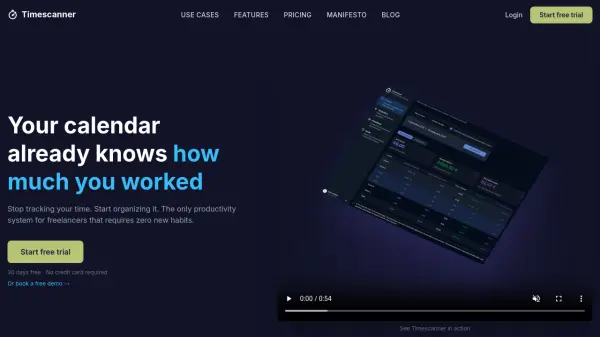
What is Timescanner?
Timescanner is a productivity system designed specifically for freelancers and agencies who want to stop manually tracking time. Instead of using a timer or separate app, Timescanner works directly with your existing calendar. By simply adding a client name in brackets before your event titles, Timescanner reads your calendar and automatically calculates hours, revenue, and daily rates per client and project.
Your data never leaves your calendar, ensuring complete privacy and GDPR compliance. Timescanner integrates with Google Calendar, Outlook, iCloud, and any iCal-compatible calendar. It provides detailed tables and charts for time and revenue analysis, and uses AI only to generate activity reports from your calendar data. The goal is to reduce end-of-month admin from hours to seconds, giving you accurate data for invoicing and quoting.
Features
- Automatic Time Calculation: Reads your calendar in real-time to calculate hours worked per client and project without any manual input.
- Client Naming Convention: Simply prepend [Client] to your event titles; Timescanner does the rest.
- Comprehensive Analytics: Provides detailed tables and charts showing hours, revenue, and average daily rate broken down by client.
- AI-Generated Reports: AI writes activity reports from your calendar data, saving you time on documentation.
- Unlimited Calendars: Sync as many calendars as you need, with full support for Google Calendar, Outlook, iCloud, and iCal.
- GDPR Compliant: Your data stays on your calendar; Timescanner never stores a server-side copy.
- CSV Export: Export your data for use in spreadsheets or accounting software.
- Daily, Weekly, Monthly & Yearly Analysis: View your time and revenue distribution across different time periods.
Use Cases
- Freelancers juggling multiple clients can automatically reconcile hours and prepare invoices.
- Agencies can analyze past project data to create accurate fixed-price quotes.
- Freelancers transitioning to hourly billing can track their real billable hours per client.
- Professionals seeking to understand their effective hourly or daily rate to adjust pricing.
FAQs
-
How does the free trial work?
30 days free, no credit card required. You get access to all features from day one. After the trial, choose a plan or your account switches to read-only. -
Can I upgrade from annual to lifetime?
Yes, anytime from your account settings. The switch is immediate. Your current annual subscription won't be refunded, but your lifetime access starts as soon as payment is confirmed. -
Are calendars really unlimited?
Yes. With an active subscription, you can sync as many calendars as you want. -
What happens if I don't renew?
Your calendars are paused automatically. Your data stays in your own calendar — Timescanner never stores a server-side copy. If you reactivate a subscription, everything resumes automatically. -
Are updates included?
Always. Whether you're on annual or lifetime, you get all product updates at no extra cost.